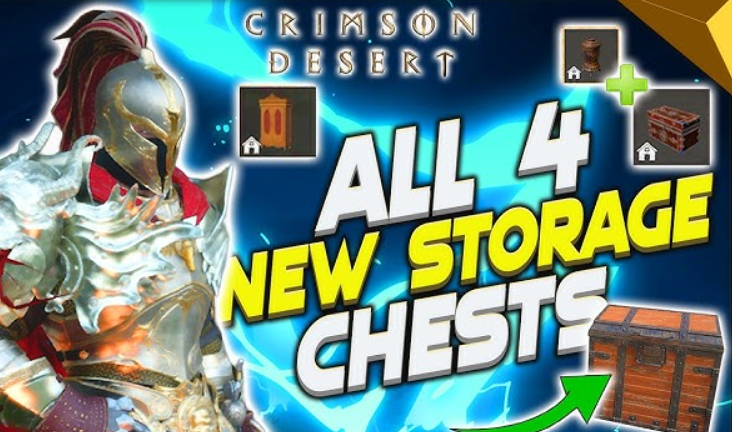
Crimson Desert has received an update—and it’s more than just patching holes. The developers have added features players have been waiting for: adjustable difficulty, a couple of new quests, additional pets, and a bunch of fixes. But most importantly, the storage system has finally come to life. Now you can place special containers in your house for food, clothing, materials, and quest items. The best part is the new chests for collectibles and resources. We’ll tell you where to get them and how much they cost.
Table of Contents
Where to get a chest for collectibles in Crimson Desert
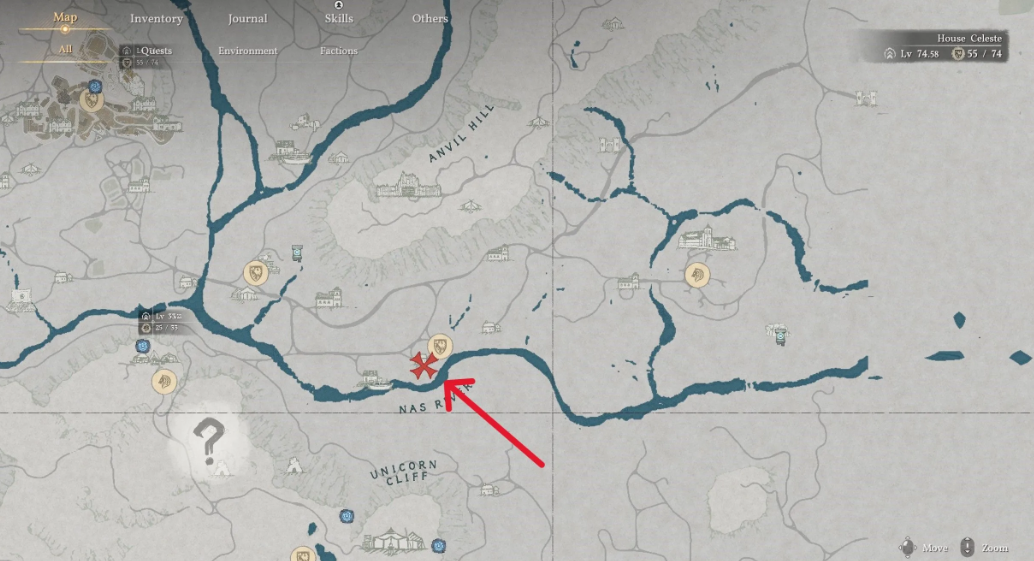
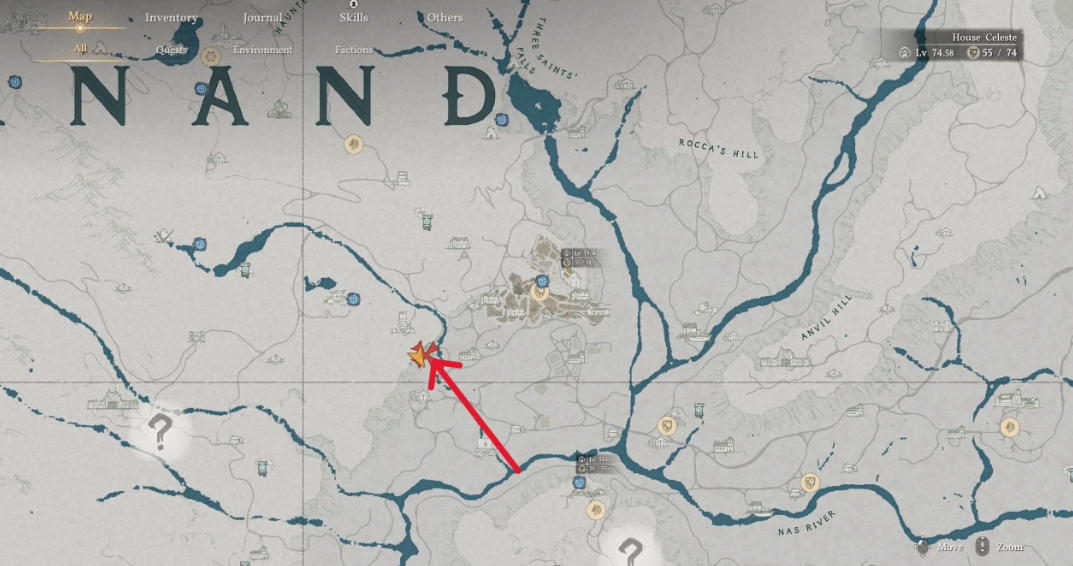
First, you’ll need to complete the mini-quest “Early Meeting.” You’ll find it north of the Nas River in Hernand, from a character named Timberturner Wainwright (yes, he’s the local carpenter). Talk to the servant, and he’ll hint at a reward. But he won’t give it away for free—go to the Timberham Sawmill. It’s west of the main town of Hernand. There’s a furniture merchant for this region there—talk to the nobleman, and the chest for collectibles is yours.
What to put in it? Books, notes, reward posters, keys, and other quest junk. Honestly, after gaining the knowledge, most of these things can be thrown away. But if you enjoy rereading lore or collecting, the container will come in handy.
Where to buy a resource chest and how to use it
It’s simpler. A chest for collecting resources is sold by any furniture merchant throughout the game. The price is 50 silver. No quests, no strings attached. Just pay and take it. It stores everything you need to upgrade equipment, craft in the forge, or brew tonics—except food. Conveniently, you can place minerals directly in there, and they won’t take up inventory slots during campaigns.
For veterans, 50 silver is a mere pittance. But for newcomers, we recommend a good life hack. Head northwest of the main town and find the Lioncrest Estate. There’s a gold bar in the fireplace. Take it to the local bank for 500 silver. Spend 50 on the chest, and the rest on other needs. A great starting boost.
And another nice bonus: you can craft and upgrade items directly from the resource chest without transferring them to your inventory. Just drop ore in there, and the blacksmith will see it as available. Convenient and saves a ton of time.
Where to store resources and loot in Crimson Desert after the patch
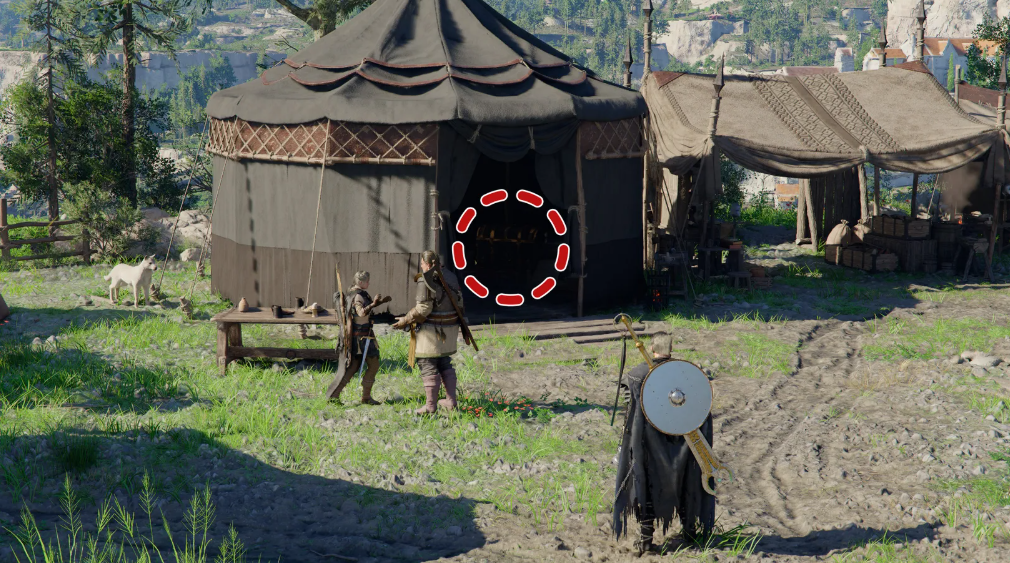
During the release, players complained about their backpacks being overflowing and nowhere to put ore and herbs. Patch 1.00.03 finally fixed this issue. Crimson Desert now features a personal storage area—now you can store materials, ingredients, and other riches until better times come.
Access to the chest is tied to story progression. In the first two chapters, look for it at the Freesword Encampment. Where exactly? Right behind the Royal Trading Post, not far from the walls of Hernand. The coveted chest is in one of the tents there.
Starting in Chapter 3, the rules change. The camp on Howling Hill opens, and the old chest at the Freesword Encampment disappears. Instead, the storage is moved to your personal base. Look behind you for a food supply manager named Karl. Incidentally, the furniture in the houses (wardrobes, chests of drawers) is purely for show. Don’t expect anything to be stored there.
Storage System in Crimson Desert: Types of Chests and How to Use Them
Pearl Abyss didn’t create a single, all-purpose “everything warehouse”—Crimson Desert has introduced an entire ecosystem of storage systems. Each chest is tailored to its own loot type, each with its own limit and respawn point. Understand the logic and forget about your perpetually overstuffed backpack and lost trophies. Don’t understand it and you’ll curse when a rare pelt disappears into thin air.
Storage types in Crimson Desert: comparison of chests and containers
Why is it important to separate resources into different chests?
The first reason is slots. A universal 240-slot chest fills up in just a couple of forays into Hernand, especially if you’re the type to loot everything from bodies. Specialized containers alleviate this burden: ore goes into the resource chest, crafting supplies into the food chest, and lore posters and quest keys into the collectible chest. The freed-up 240-slot pool is reserved for fresh loot and the “lost and found”—the very place where the game automatically stores trophies from unsearched bodies.
The second reason is crafting without the hassle. The resource chest is directly linked to the workbench and forge. Drop ore in there, and the blacksmith sees it as available for upgrading; there’s no need to move it to your inventory. It’s the same story with the food container: the chef takes ingredients directly from there, without making you run back and forth. It’s a small thing, but it saves dozens of minutes per evening.
How to properly sort resources and loot in Crimson Desert
-
Quest junk and lore notes go straight to the collectibles box; don’t let them sit like dead weight in your backpack.
-
Stacks of raw materials—ore, leather, fabric—go to the resource box. Carry a maximum of two stacks of each type.
-
Tonics, meat, and fish—go to the food container, separate from crafting materials.
-
Ceremonial sets and cosmetics—go to the closet in Timberton. The main chest is for combat gear only.
-
Generalist at the base—leave 40-50 empty slots for lost and found loot and rare drops.
This layout solves three pains at once: the sudden disappearance of trophies due to a full chest, endless inventory scrolling in search of a specific pelt, and forgotten armor sets—those same ones that you then have to farm again.
Why a personal chest works like a lost and found and how to avoid losing loot
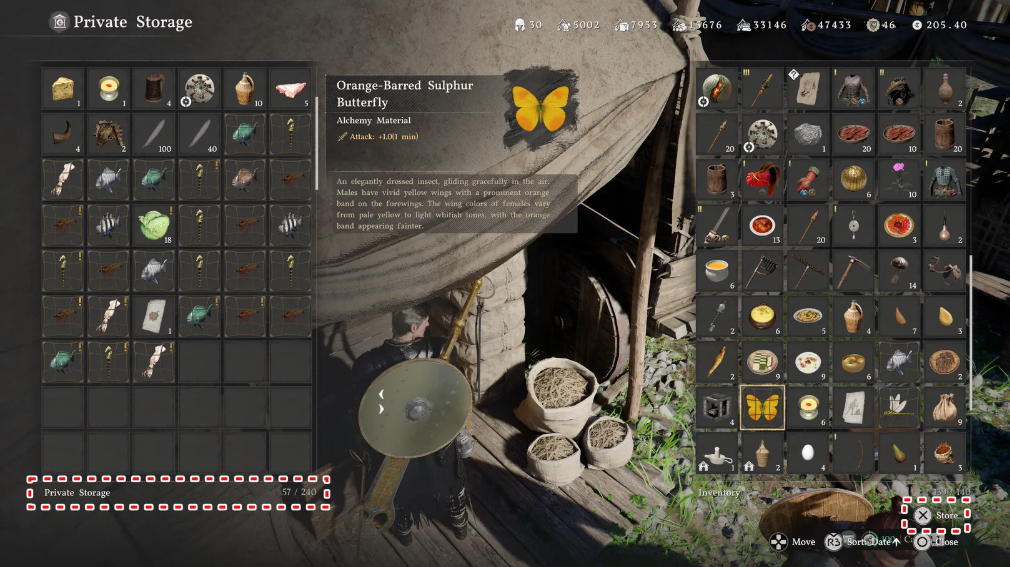
A standard storage chest holds 240 items. It seems manageable. But there’s a catch, which many only discover after losing valuable loot. The fact is that this same container functions as an automatic “lost property” locker. When you kill an enemy but don’t have time to search them before their body disappears, the game automatically dumps the dropped loot here. And if the chest is completely full with your supplies, your newly acquired trophies will disappear. No notifications, no spam folder. Therefore, it’s best to check your storage regularly, not just when you run out of space.
How to Free Up Inventory Space: Six Effective Methods
Still running out of room in your bag or chest? Here are a few tricks that really help.
-
Complete requests from the locals. They’ll boost your basic inventory—it’s one of the few ways to permanently expand your backpack.
-
Open resource pouches immediately. Don’t hoard them—they’re useless and take up space.
-
Trash or sell letters and notes from quests you’ve read. They have zero emotional value, and silver is always a good thing.
-
Sell recipes and blueprints you’ve already learned. You can’t relearn them, but merchants are happy to take them.
-
Don’t carry more than one or two stacks of easily accessible materials. Regular cloth? Two stacks are more than enough.
-
Have you accumulated too many Gears? Spend some silver and put it in the slots of spare armor you plan to keep anyway. This will free up space and prevent items from being lost.
Where to find a wardrobe and why is it needed in Crimson Desert
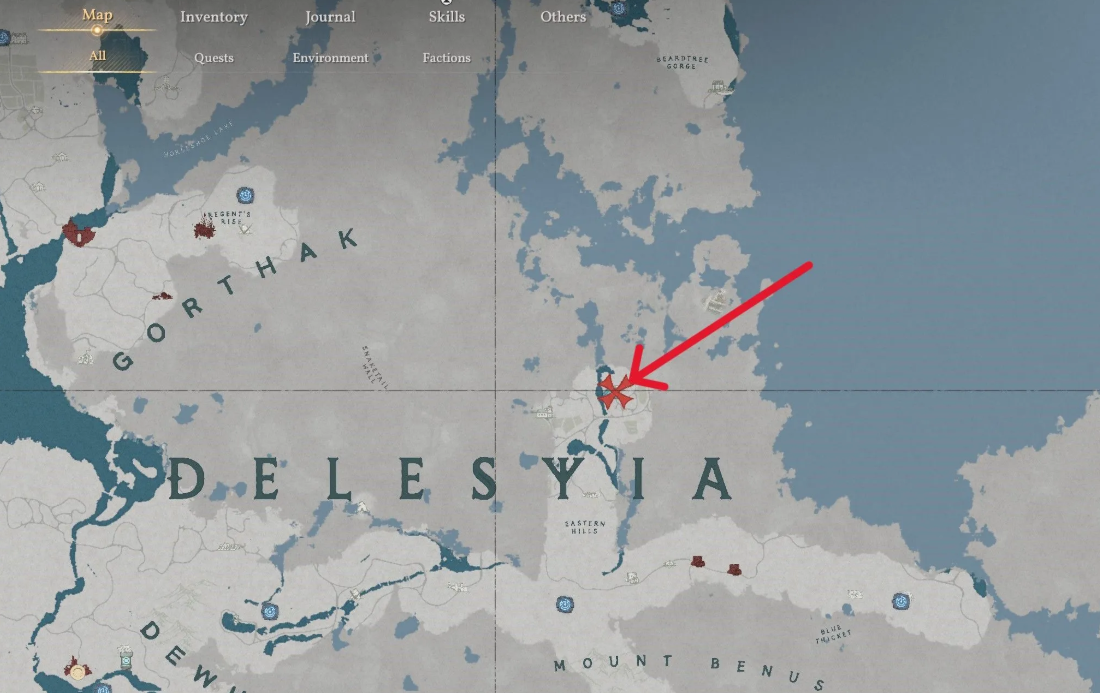
Want to store all your beautiful armor sets separately, without filling up your main chest? Then you need a wardrobe. But, by tradition, they won’t give you one.
You’ll have to travel to Delesia, the eastern region of the late game. It’s a dangerous place: mechanical enemies are everywhere, and they hit hard if you’re underequipped. The goal is Timberton, north of the Eastern Hills.
Have you made it? Look for the furniture merchant in the green tunic. Talk to him, and you’ll find several wardrobes (in different shapes and colors to choose from). They’re not available anywhere else in the game. So, if you’re collecting armor sets, grab one without hesitation.
Installation is simple: place it in your home, making sure the green arrow points in the direction you want to open it. That’s it, you’re ready to sort your wardrobe.