

Some games let you save the world. AirportSim has you spend fifteen minutes trying to dock a jet bridge onto an Airbus A320neo while engines drone in the background — and somehow that turns into something close to meditative satisfaction. That’s the paradox at the heart of this simulator from MS Games and MK Studios: it’s not a game about adrenaline, it’s a game about procedure, and the more carefully you follow the checklist on your tablet, the more you’ll enjoy it. Or, if a bug gets in the way, the more it will frustrate you.
AirportSim launched on Steam in October 2023 and has had a long life since then: the developers have added new airports, reworked baggage systems, and patched multiplayer stability. By mid-2026, this is no longer a “rough launch” — it’s a game with a patch history, paid DLC, and a fairly polarized audience, sitting in Steam’s “Mixed” review zone at around 67% positive out of more than 1,300 reviews. In this review, we’ll break down what the game actually offers, what tasks you’ll be doing, how it holds up technically today, and who should consider buying it.
Table of Contents
What Is AirportSim and Who Is This Airport Ground Handling Simulator For
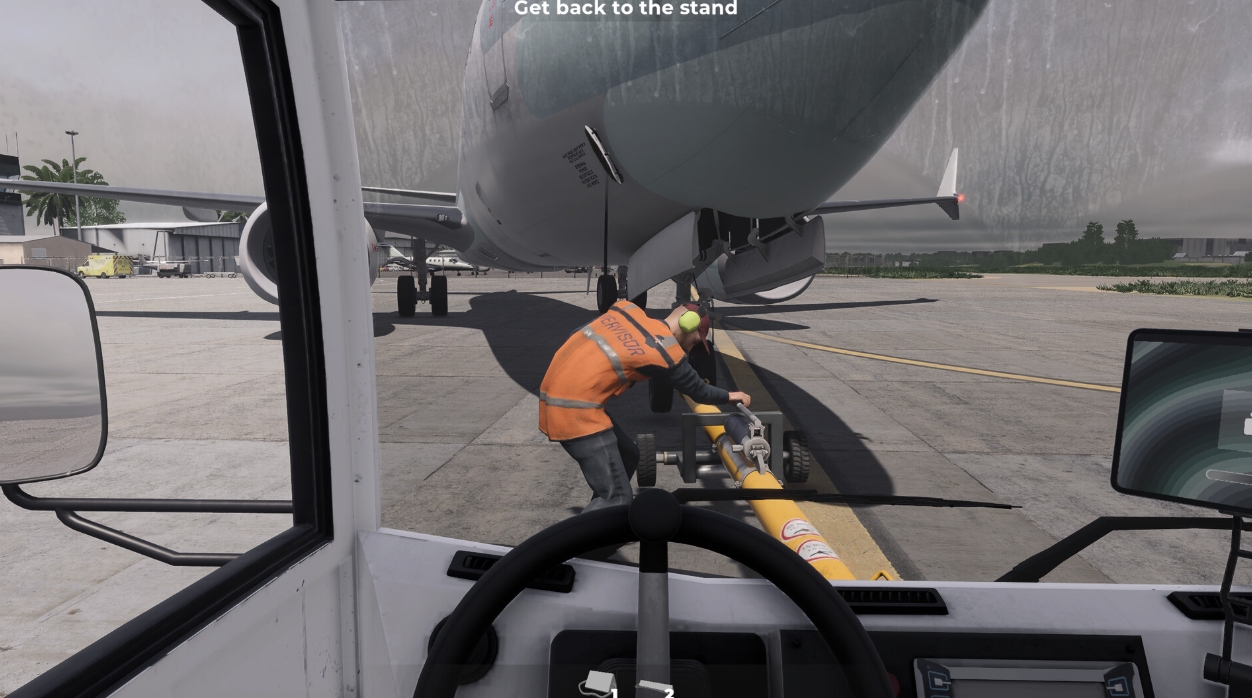
AirportSim is essentially a “job simulator” built around airport ground operations: you’re not a pilot or an air traffic controller, you’re a ramp agent meeting and dispatching aircraft on the apron. The developers worked from interviews with real airport ground staff, and that research shows in how detailed the procedures are.
The core task list includes:
-
marshalling — guiding an aircraft into its parking position with signals;
-
Follow Me — escorting an aircraft with a dedicated vehicle;
-
connecting the ground power unit (GPU);
-
refueling via a fuel truck;
-
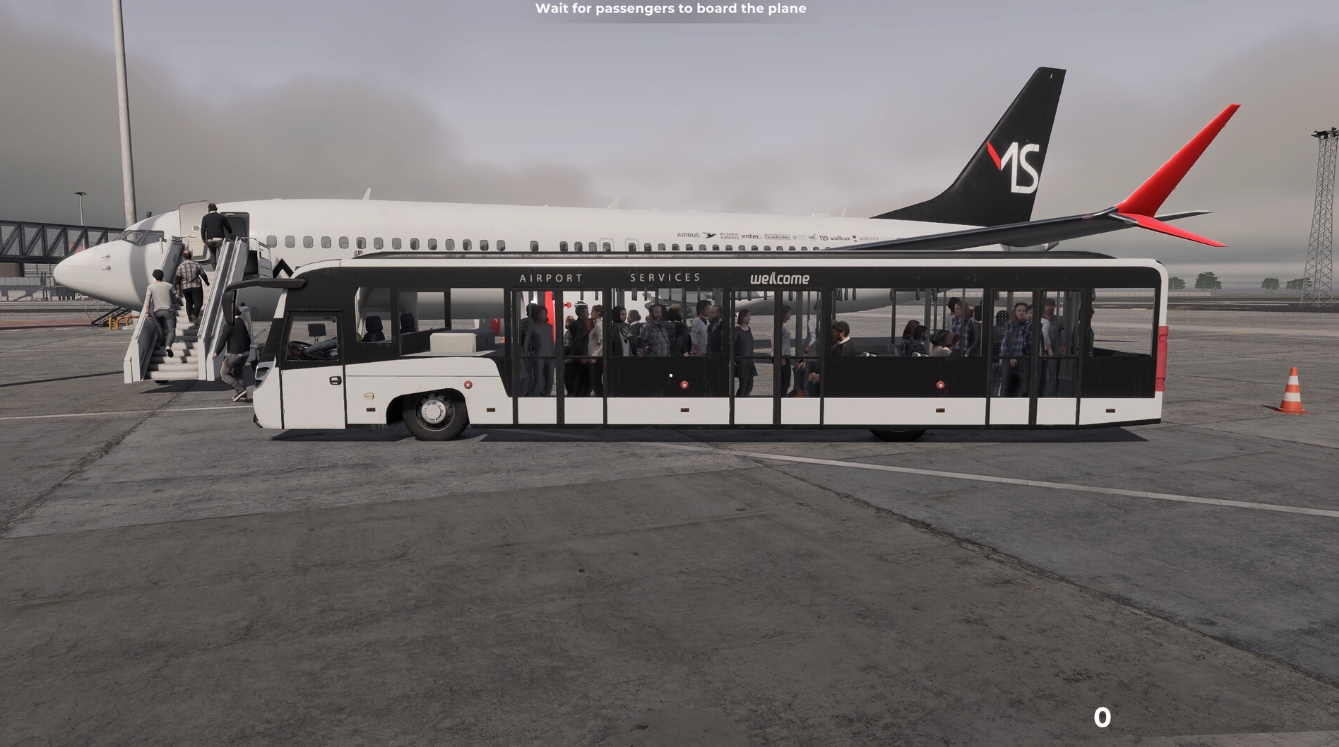
positioning and docking stairs or a jet bridge;
-
loading and unloading luggage;
-
catering — loading in-flight meals and supplies;
-
towing the aircraft for pushback before departure.
This isn’t a game about fast reflexes — it’s about sequencing and time management. Tasks have to be performed in the right order, or the scenario simply won’t progress. Genre-wise, AirportSim sits closer to work simulators like PowerWash Simulator or Euro Truck Simulator than to traditional flight sims like Microsoft Flight Simulator.
Game Modes: Scenario, Challenge, Cooperation, and Free Play Explained
AirportSim has four main modes, and which one you pick has a big impact on how much you’ll enjoy the game.
| Mode | What Happens | Best For |
|---|---|---|
| Scenario | A prebuilt flight schedule with set weather and a fixed sequence of tasks | Players who want structure and a full shift to work through |
| Challenge | Same tasks, but timed and scored on a leaderboard | Players who enjoy a competitive edge |
| Cooperation | Play together with friends online, splitting tasks between players | Groups who want to role-play as a full ground crew |
| Free Play | No rules — do whatever you want, or just watch the planes come and go | Players who want a relaxed, sandbox “watch the airport” experience |
The developers single out Cooperation as one of the game’s key modes — tasks can be split between players, and according to those who’ve played it with friends, this is where the social side of the game really clicks: one person handles fueling, another loads baggage, a third escorts the aircraft in.
AirportSim Airports and Aircraft: What’s Available in 2026
The base game launched with four airports, but the lineup has grown over more than two years of post-launch support. Today the game features five recreated airports, with ground markings, gate numbers, and parking layouts matching their real-world counterparts:
-
Vagar Airport (Faroe Islands);
-
Keflavik Airport (Iceland);
-
Warsaw Chopin Airport (Poland);
-
Key West Airport (USA);
-
Rovaniemi Airport (Finland) — added as a free DLC in December 2023, tied to its real-world reputation as the gateway to Santa’s hometown in Finnish Lapland.
A separate paid DLC adds Bologna Airport (Italy), released in March 2024, which comes with a full new airport layout and its own sports-car-style Follow Me vehicle.

On the aircraft side, the game includes the Airbus A320neo and Boeing 737 MAX, with licensed liveries from partner airlines including EnterAir, WizzAir, Norwegian Airlines, and Atlantic Airways, alongside a roster of ground equipment — buses, tugs, fuel trucks, stairs, and catering trucks — built with realistic physics and speed limits.
AirportSim Bugs and Technical Issues: The Game’s Biggest Pain Point at Launch
Reading through Steam user reviews and independent write-ups paints a consistent picture: visually and conceptually AirportSim is strong, but at launch it suffered from a noticeable amount of technical jank. One reviewer who tested the game shortly after release described spending hours trying to dock the jet bridge during the tutorial — a task that should take seconds turned into a frustrating ordeal because of docking bugs.
The lack of a save system drew particular criticism: long scenarios designed to take an hour or two couldn’t be paused with progress saved, so any game-breaking bug meant starting over from scratch. Combined with the absence of a progression or reward system, this hurt the game’s replayability significantly in its early months.
The good news is that the developers haven’t abandoned the project. Going by the update history, the team has shipped regular patches — fixing baggage getting stuck under conveyors, addressing save-related issues, and stabilizing multiplayer. One notable update, 1.4.4, even brought back the automated baggage loading system from early 2023 demo builds as an alternative to manual handling — though for now it’s single-player only, without multiplayer support.
Should You Wait for Patches Before Buying
If you’re sensitive to bugs and not willing to put up with tutorial scripts freezing on you, it’s worth checking the update history on Steam before buying. The game has come a long way from being described in an early preview as “potentially awesome” but “extremely buggy,” but calling it fully polished today would still be premature.

AirportSim System Requirements: What You Need for Smooth FPS
The game doesn’t aim to be a tech showcase on the level of full-world flight sims, so the requirements are fairly modest by modern standards.
| Spec | Minimum | Recommended |
|---|---|---|
| OS | Windows 10/11 | Windows 10/11 |
| Processor | Intel Core i5 | Intel Core i7 |
| Memory | 8 GB RAM | 16 GB RAM |
| Graphics | NVIDIA GTX 1060 | NVIDIA GTX 2070 |
| DirectX | Version 11 | Version 11 |
| Storage | 12 GB available space | 12 GB available space |
For most mid-range gaming PCs this won’t be an issue — AirportSim doesn’t demand a top-tier GPU, since the focus is on detailing objects on the apron rather than rendering huge open landscapes.
Weather, METAR, and Realism: How Authentic Is the AirportSim Experience
One of the most talked-about features is the weather system, which is synced to real-world meteorological data via the METAR protocol used by actual air traffic controllers and pilots. That means the in-game weather at a given airport can reflect real-world conditions at that location — or you can manually pick a weather type if you want to practice handling, say, icing or strong crosswinds.
This realism is something even more critical reviewers consistently praise: the visual recreation of airports and ground equipment is genuinely close to their real-world counterparts, even if it doesn’t match the level of detail in Microsoft Flight Simulator, a comparison the game invites fairly often.
Steam Workshop and Community Content in AirportSim
From launch, the developers built in Steam Workshop support — an in-game scenario editor and the ability to create custom aircraft liveries. In practice this means the community has produced dozens of custom paint jobs for different airlines and scenarios, ranging from recreations of real low-cost carriers to entirely fictional fan-made airlines. For players who burn through the base content quickly, this is a solid way to extend the game’s lifespan without buying DLC.
Racing games, shooters, survival titles, and RPGs — everything is gathered in one place.
AirportSim vs Other Airport Simulators: What Sets It Apart
Compared to competitors like the mobile title Airport Simulator: Plane City (a casual management sim with progression and in-game currency) or the later Early Access release Airport Manager Simulator 2026 (a management sim focused on running an entire terminal), AirportSim occupies a narrow but honest niche: it’s a first-person simulator of one specific job — ground crew operations — focused on manually performing procedures rather than managing a business from above.
If you’re interested in airport management as a business — building terminals, scheduling, profit margins — this isn’t that game. If you want to literally put on a hi-vis vest and go connect a GPU to an aircraft in the rain, it is.
Is AirportSim Worth Buying in 2026
There’s no single right answer here — it depends heavily on what kind of player you are. Here’s a breakdown of the main strengths and weaknesses.
Strengths:
-
highly detailed recreations of real airports and ground equipment;
-
a wide range of ground operation tasks with realistic execution logic;
-
METAR-based weather and atmosphere that even critical reviewers praise;
-
active developer support and regular patches;
-
Steam Workshop with community scenarios and liveries;
-
a cooperative mode that meaningfully improves the overall experience.
Weaknesses:
-
a history of technical issues, some of which still surface in recent reviews;
-
the long-standing lack of a full progression and reward system;
-
repetitive tasks over extended solo play sessions;
-
a base price ($34.99) that can feel steep for players just looking to try the genre.
Given that the game regularly appears in Steam sales with discounts of up to 50–60%, a reasonable approach for anyone on the fence is to wait for a seasonal sale rather than buying at full price. Fortunately, there’s also a free demo on Steam, which is the best way to find out whether the core gameplay loop clicks with you before spending any money.
How to play AirportSim for free on Steam via VpeSports
Have you ever wondered what it’s like to work in the heart of an airport, where your reaction determines whether a plane takes off on time? AirportSim puts you not at the helm, but right on the tarmac, where you meet the plane, guide it with your wands, connect the ramp, fuel it, and load the luggage, all while the weather changes and the airports are realistically recreated. There’s no fantasy involved, but there’s a lot of the hustle and excitement of a real-life ground crew that can be unexpectedly addictive. And what’s especially nice – you can try all this absolutely free.
We have dealt with all the technical nuances in advance, so that you don’t have to spend time on it. It’s really simple: you register on our website, go to your account, go back to the beginning of the article and click the button GET ACCOUNT. Further there will be an understandable instruction on what to do step by step – we have tried to make it so that even someone who sees such services for the first time could understand.
And if you don’t want to miss anything, make sure to check out our Telegram channel. We regularly post new accounts, up-to-date patches, game news, and just chat with other players. If you’re facing any issues or have any questions, please refer to the “How to Play for Free – Complete Guide” section, where we’ve addressed the most common situations. Alternatively, feel free to contact us in the chat, and we’ll be there to assist you.