Instructions: How to get the game for free on VpeSports
1. Registration
-
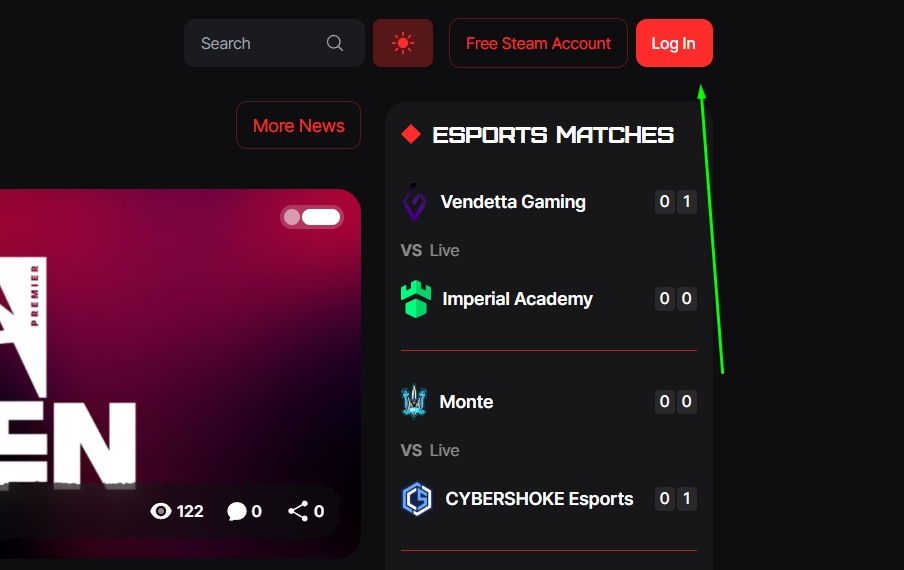
Go to the VpeSports website.
-
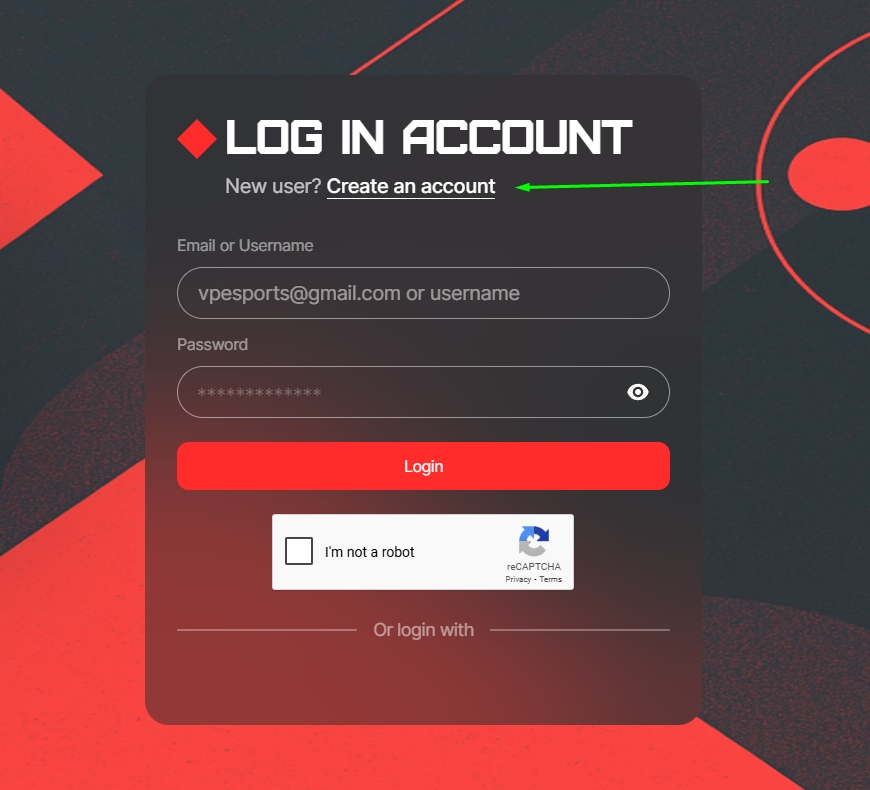
Click *Create account*

-
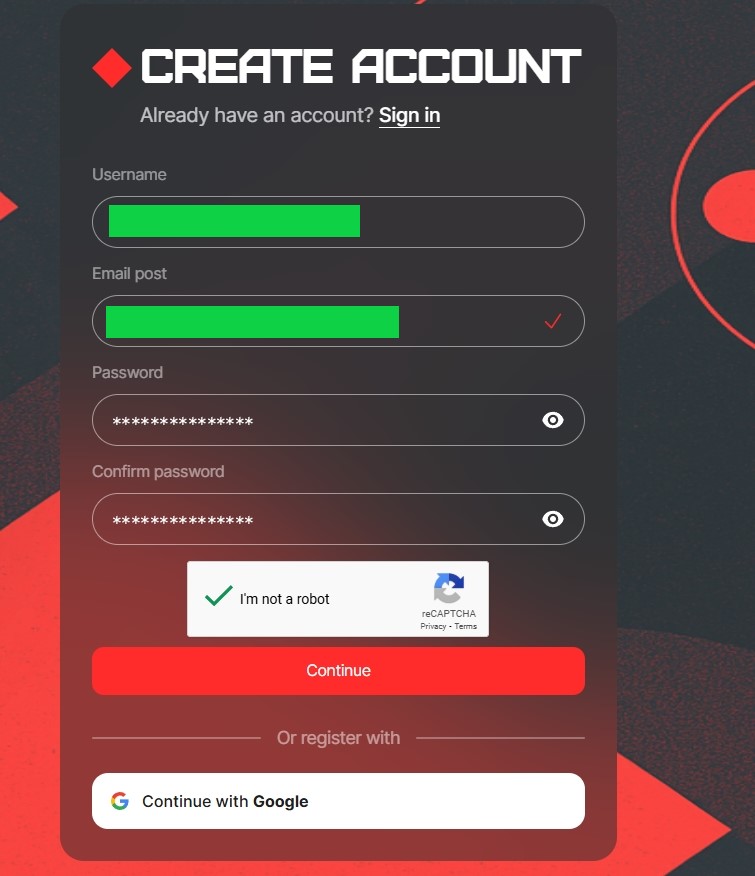
Register by filling in the required data.
-
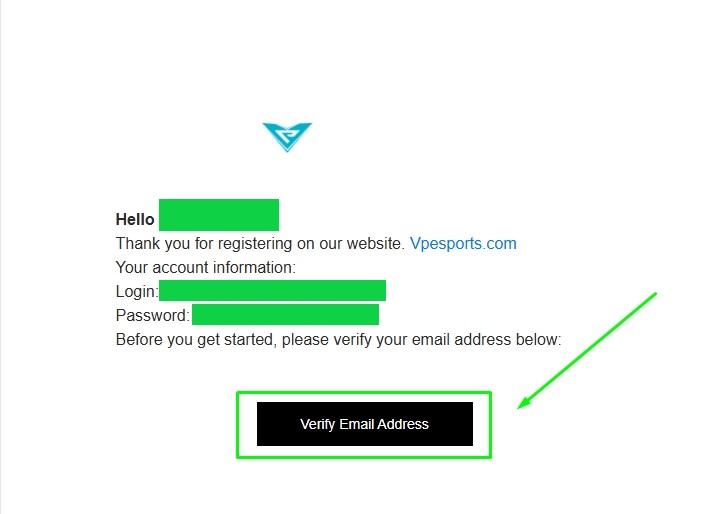
Confirm your registration via email.
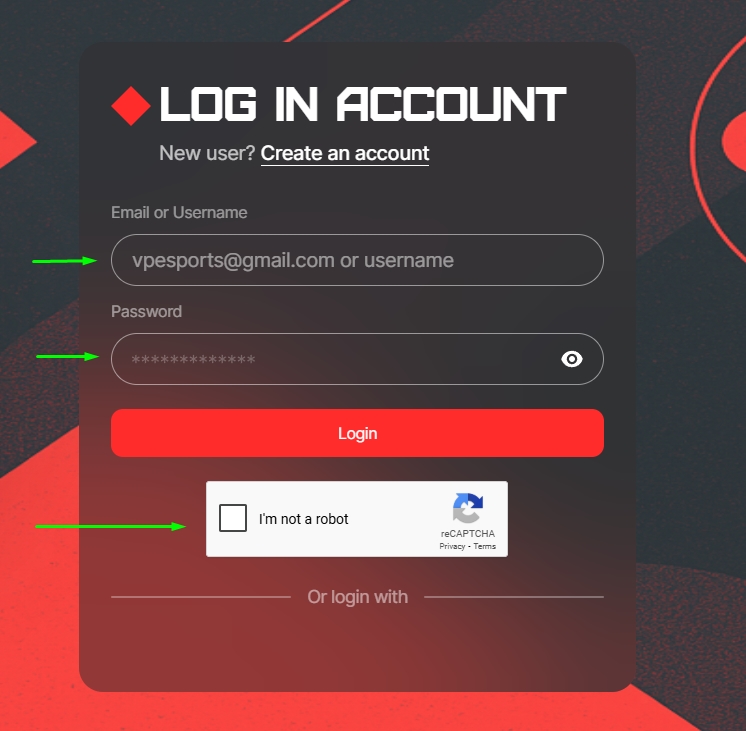
2. Login to your account
-
Log in to the site after confirming your email.
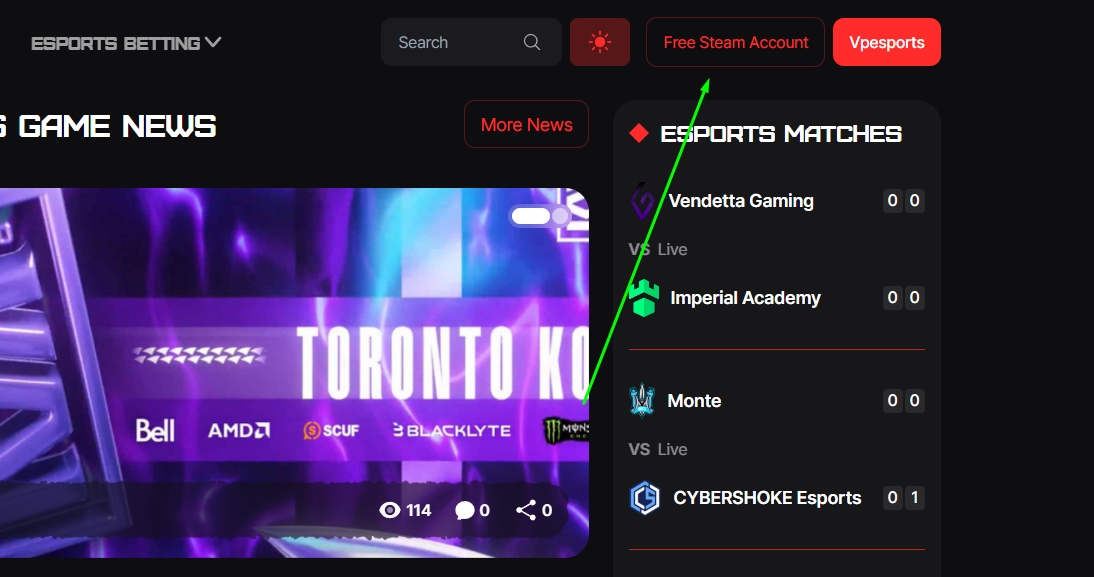
3. Search for a game
-
Go to the Free Steam Account section.
-
Find the game you want.
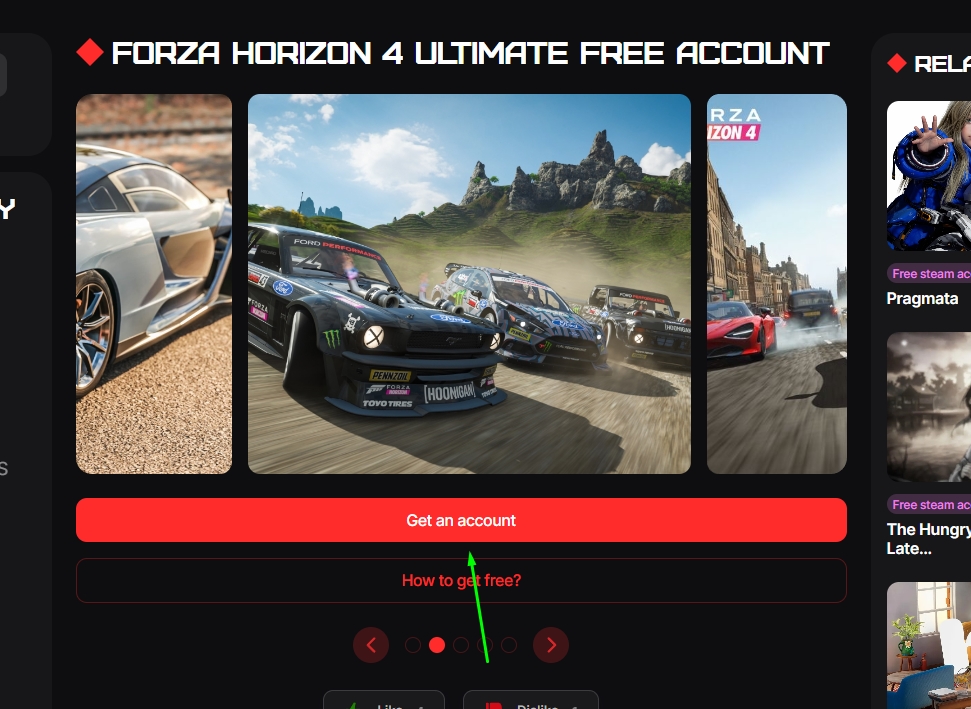
4. How to access your account
-
Go back to the beginning of the overview
-
Tap GET AN ACCOUNT
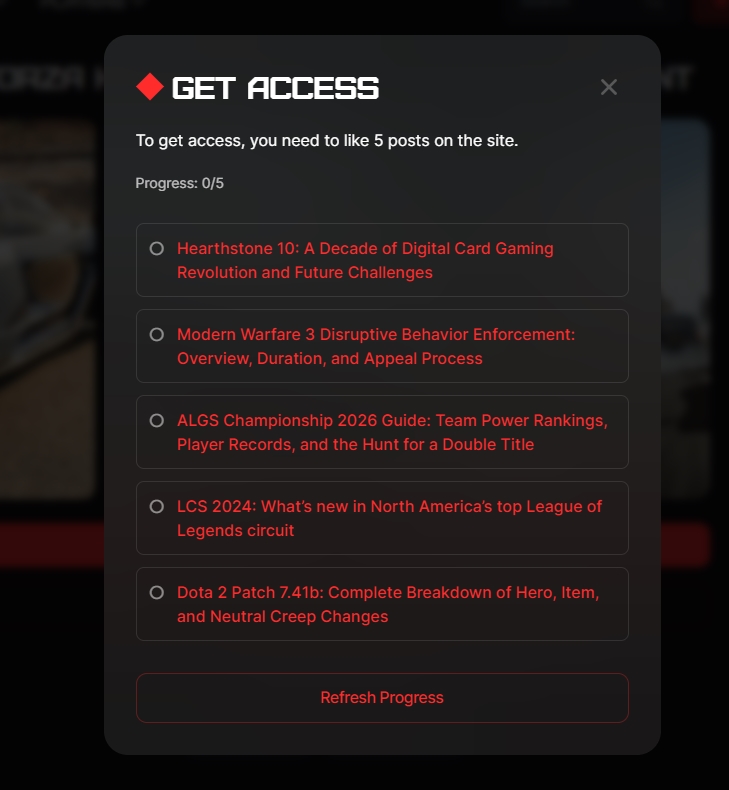
-
A list of 5 articles will appear
-
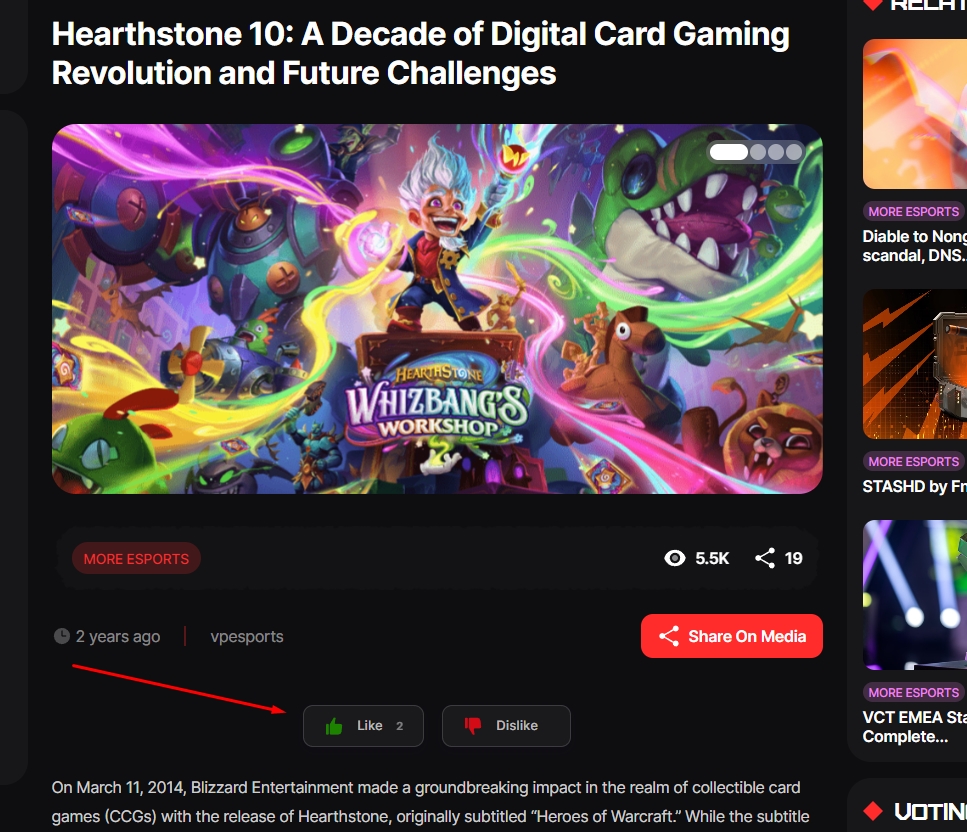
Go to each article and click *Like*
-
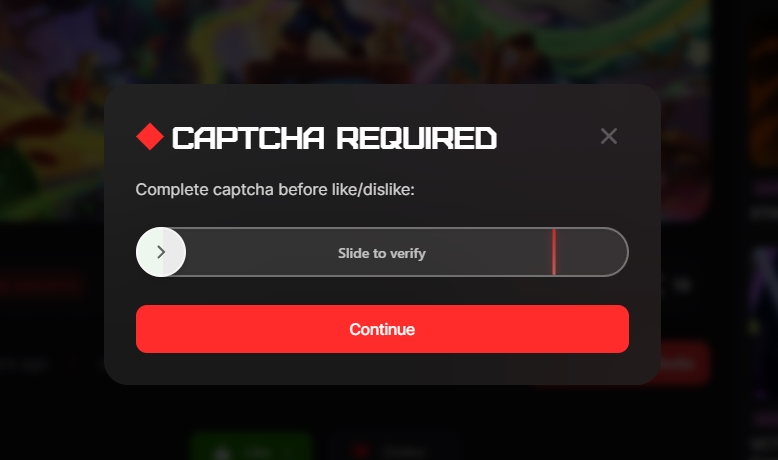
Then solve the captcha
5. Getting Steam Data
-
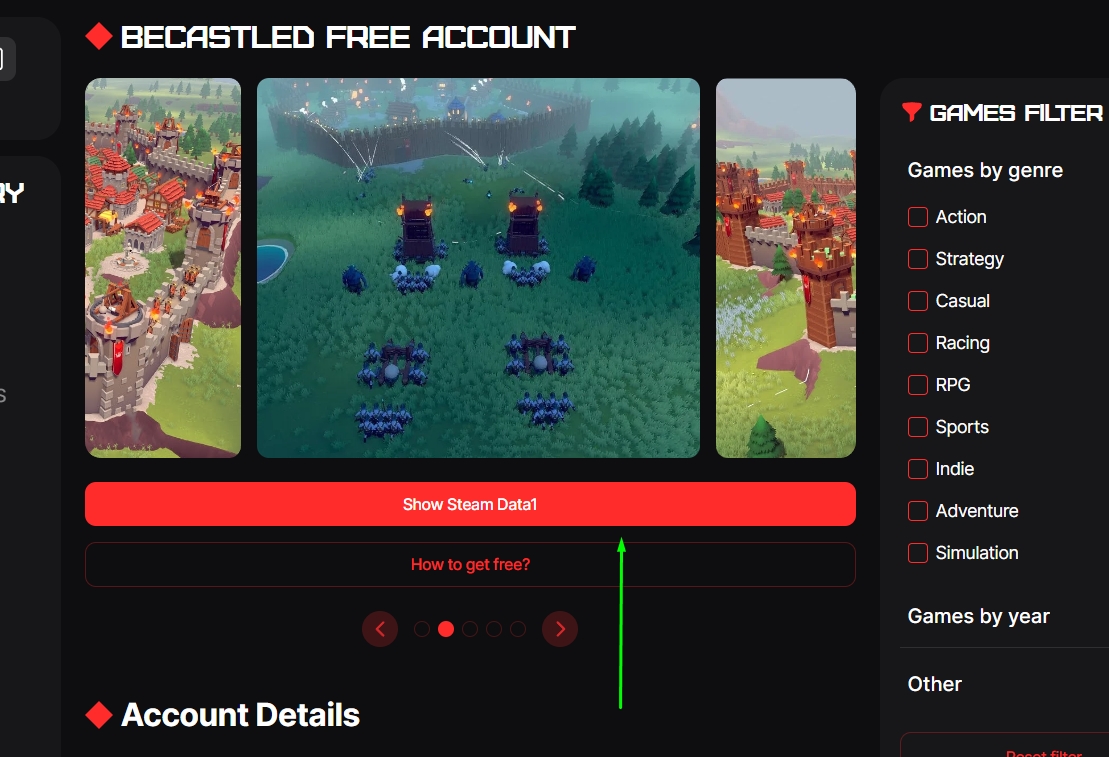
After successfully entering the code, you will see a button – Show Steam Data1
-
Click on it
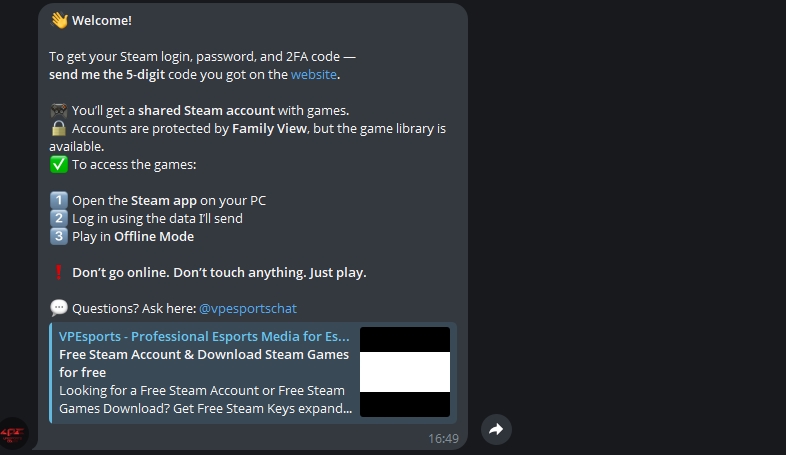
6. Go to Telegram Bot
-
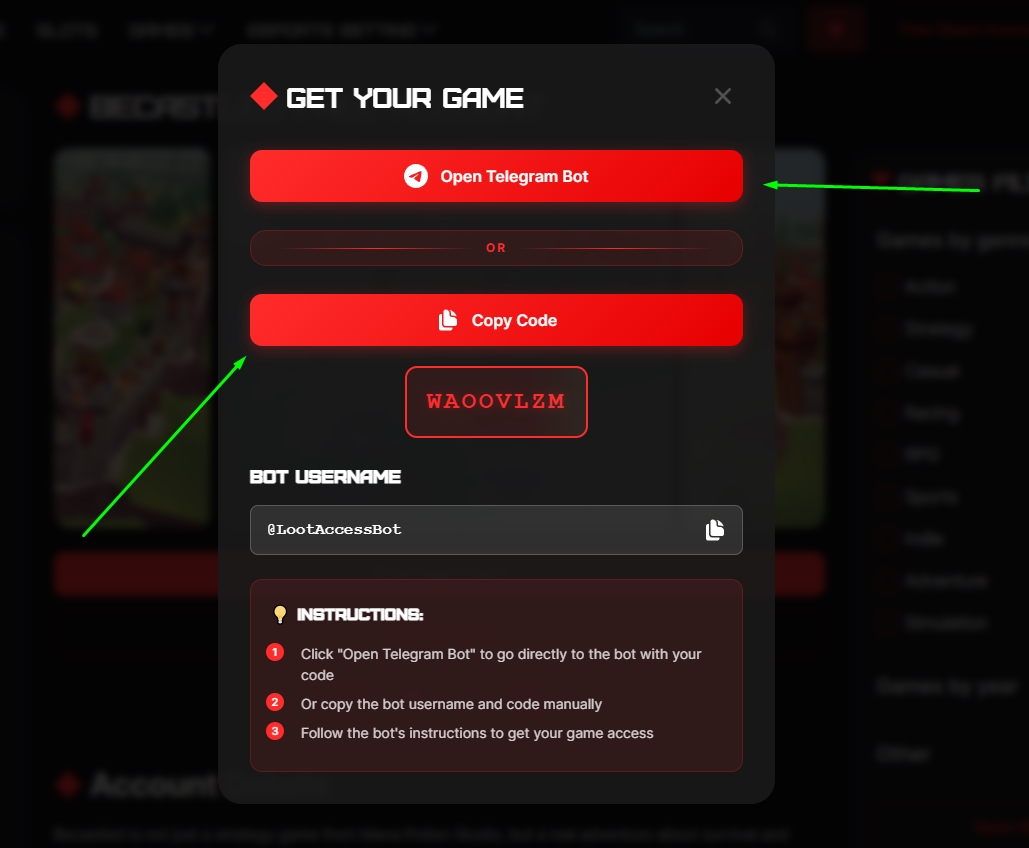
Click “Open Telegram Bot” to go directly to the bot with your code
-
Or click “Copy Code” to copy the code manually
-
Follow the bot’s instructions to get your game access
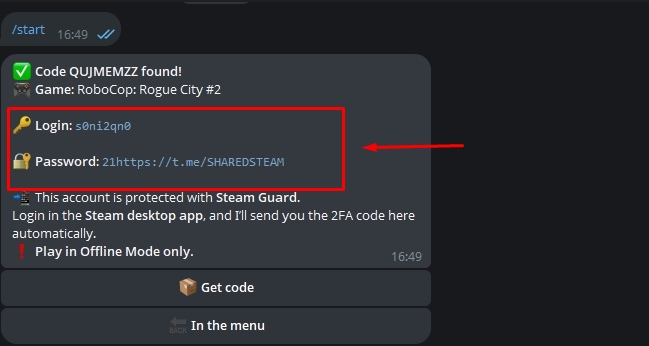
7. Login to Steam
-
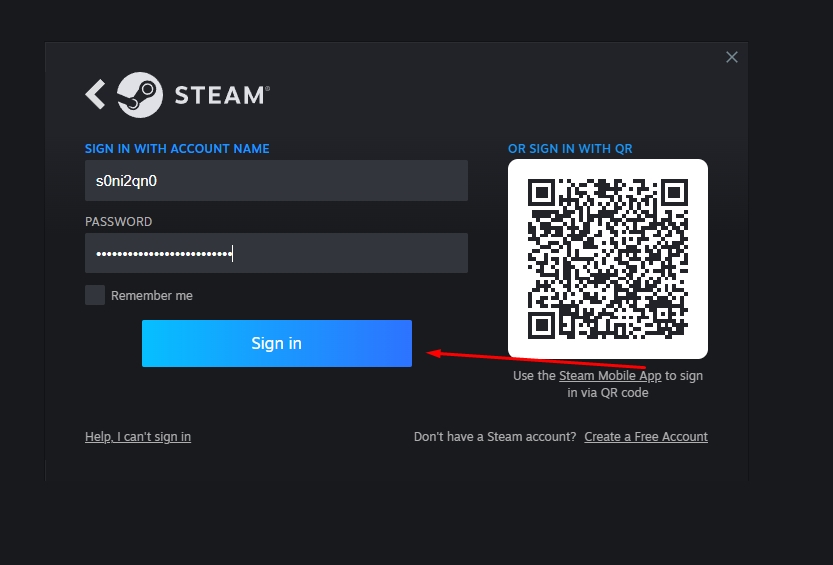
Open Steam and select Switch Account.
-
Enter the details you received and click Login.
-
When the 2FA window appears, return to the bot.
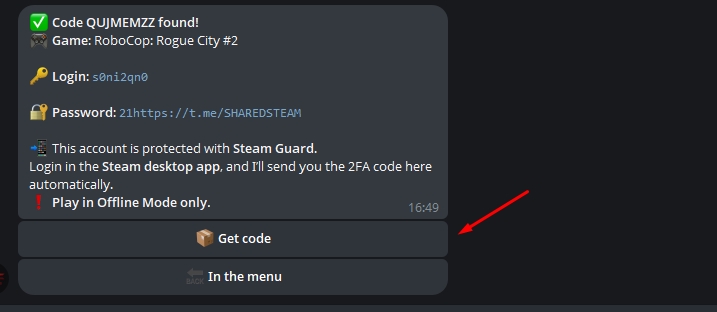
8. Getting an authorization code
-
In the bot window, click “Get code”.
-
Enter the code in Steam.
9. After logging in
-
Go to your Steam library.
-
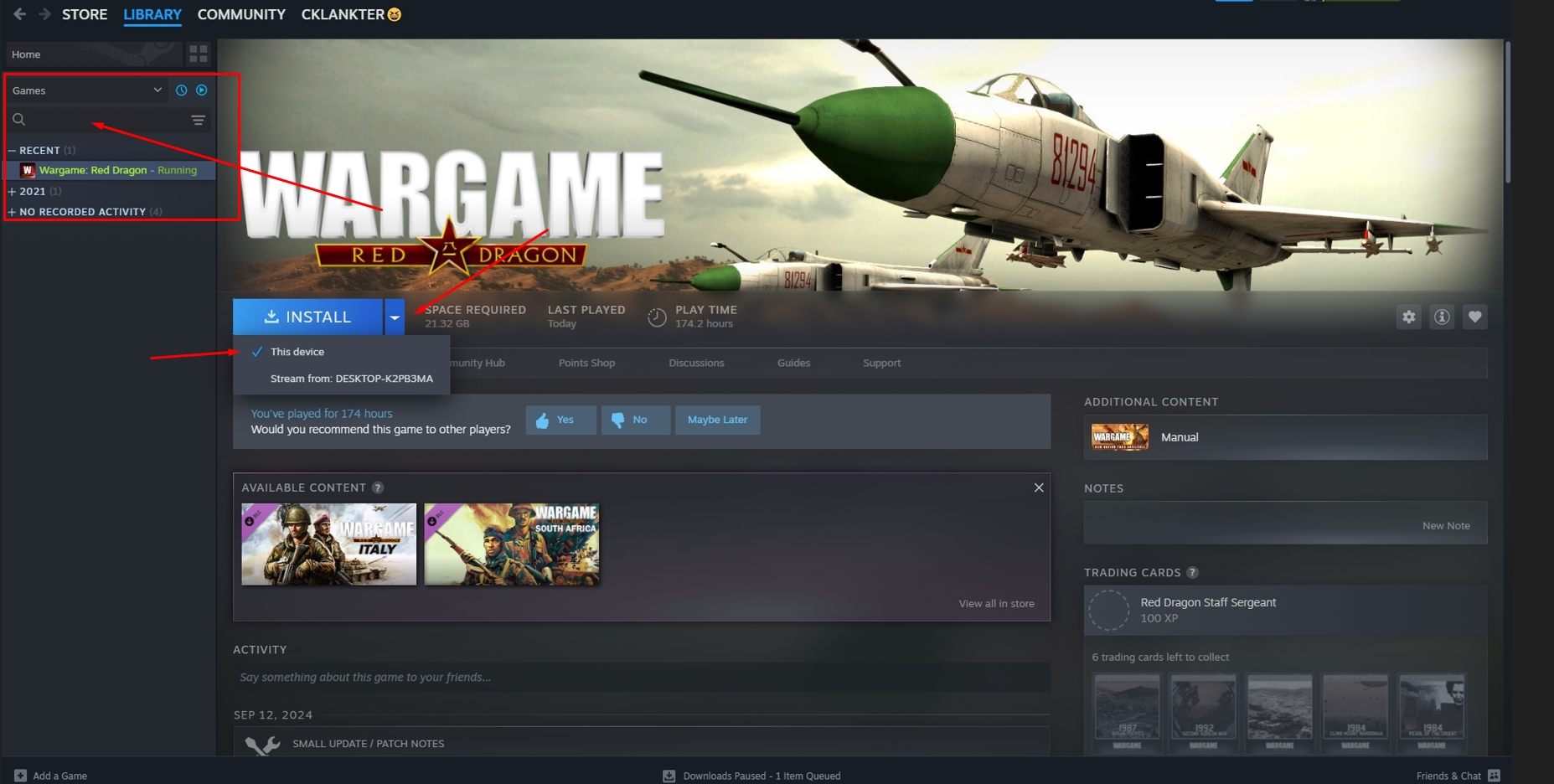
If the game is not there, click the minus icon on the left – the game will appear.
-
If the game is still not displayed, it may have been hidden (this happens sometimes). Check the hidden games and make sure everything is done correctly.
10. Downloading the game
-
Once the game appears in the library, click on it.
-
If the “Download” button is unavailable, find the small triangle next to it.
-
Click on the triangle and select This PC.
-
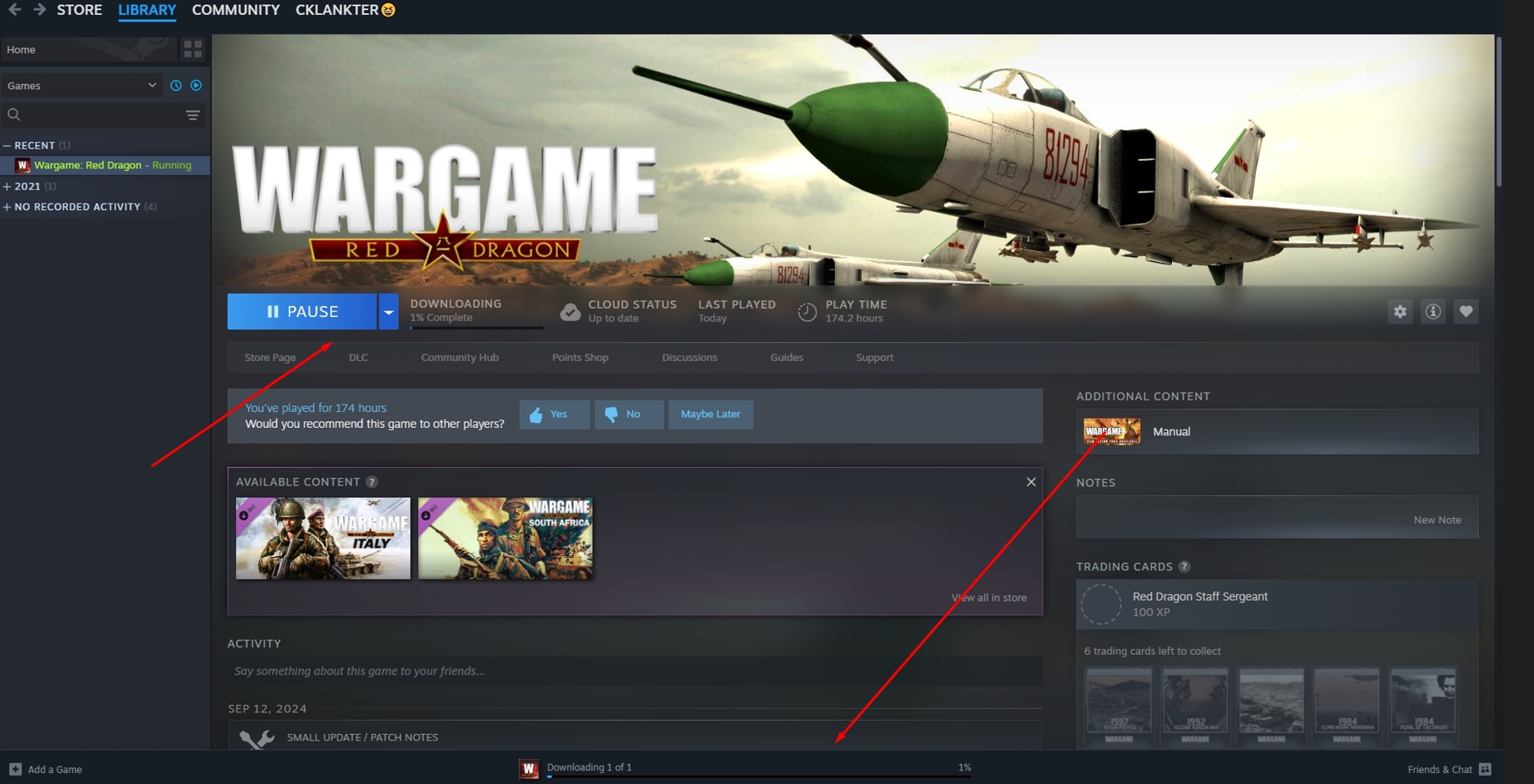
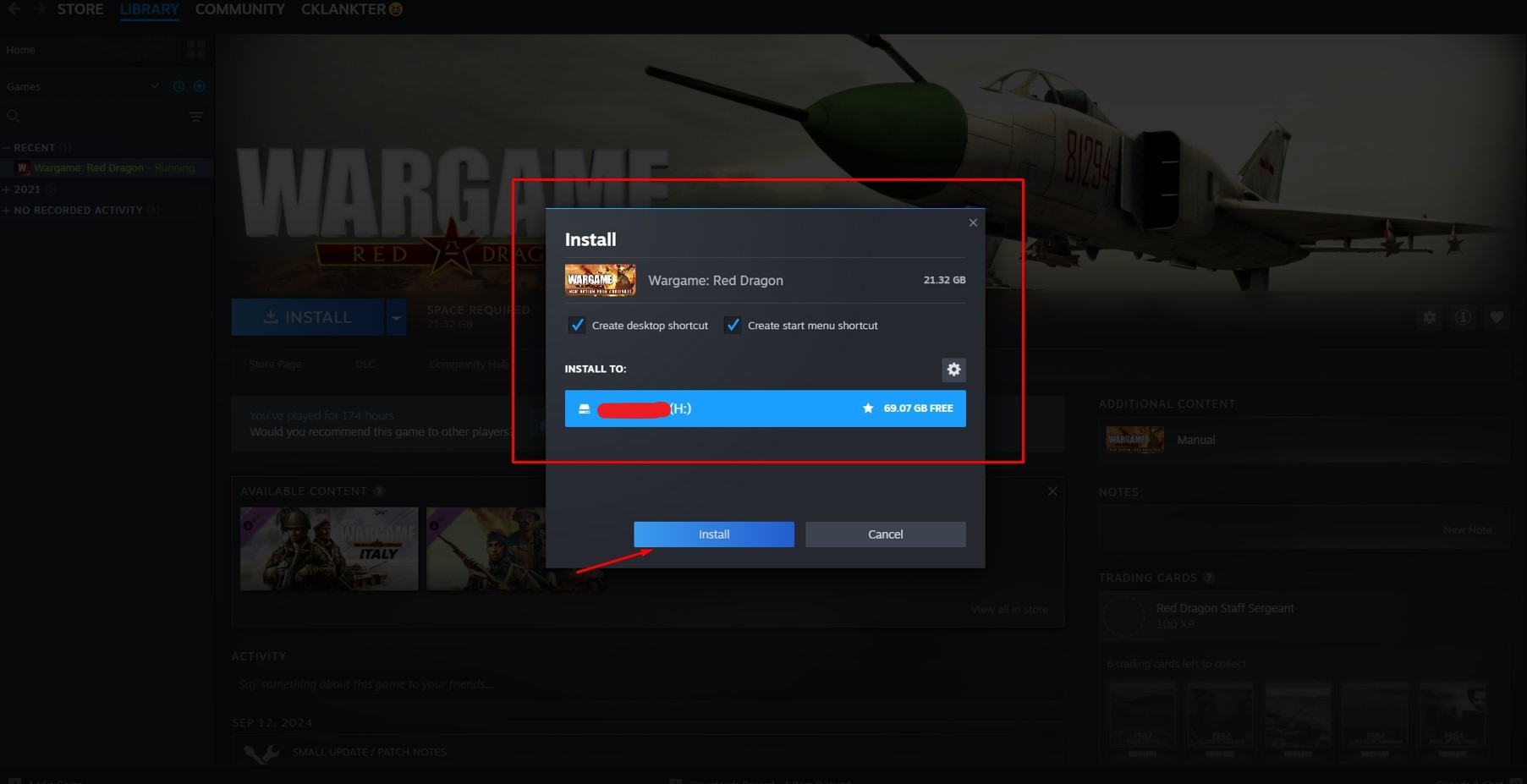
Select the drive to install the game, click “Download”, and you’re done.
-
Once the download is complete, launch and enjoy the game!
Important information!
-
The authenticator changes every 24 hours. If you want to play again, go to Free Steam Account, find the game, click the button (the same one you chose) and go to bot.
-
After playing, be sure to log out of your account so that other users can play too.
-
Do not hide games or change settings so that everyone can enjoy the game!
-
If you get an error when starting the game, it means that there are many users playing this game. Wait a little or turn on offline mode.
-
If you have problems and nothing starts, download our VPN – Vpe VPN to take into account possible limitations.
WHAT TO DO IF A GAME IS MISSING FROM THE LIBRARY?
-
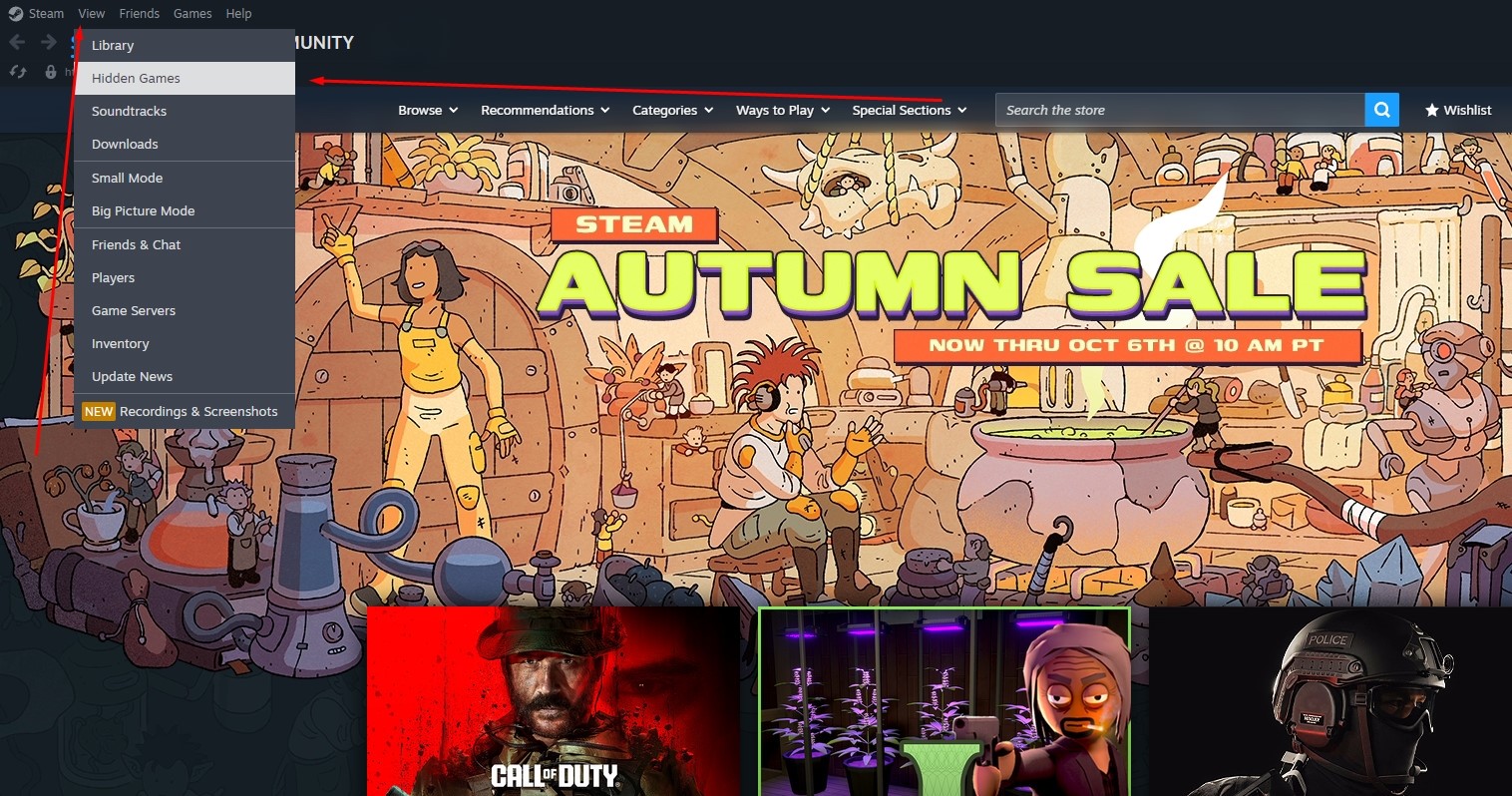
First, check if the game is hidden:
Open the Steam desktop app → Top menu → View → Hidden Games.
-
If you are sure it’s not there:
Go to the top menu → Help → Steam Support.
-
Find the missing game in the list, choose it, and select the issue “Game is missing from my library”.
-
Steam will offer to restore the game — confirm and it will reappear.

Seeing a “Purchase” button instead of “Play”? (Shared library locked)
-
Enable Steam’s Offline Mode
-
Wait for the “Offline Mode” message to appear at the bottom
-
Close Steam completely (stop the process via the Task Manager).
-
Restart Steam — it should launch directly in offline mode
Now the game should be playable
If you need to install or launch the game online for the first time — try doing it from a secondary account via the website
Getting kicked out right after logging in(SOLUTION)?
This happens when too many users are on the same account at the same time.
-
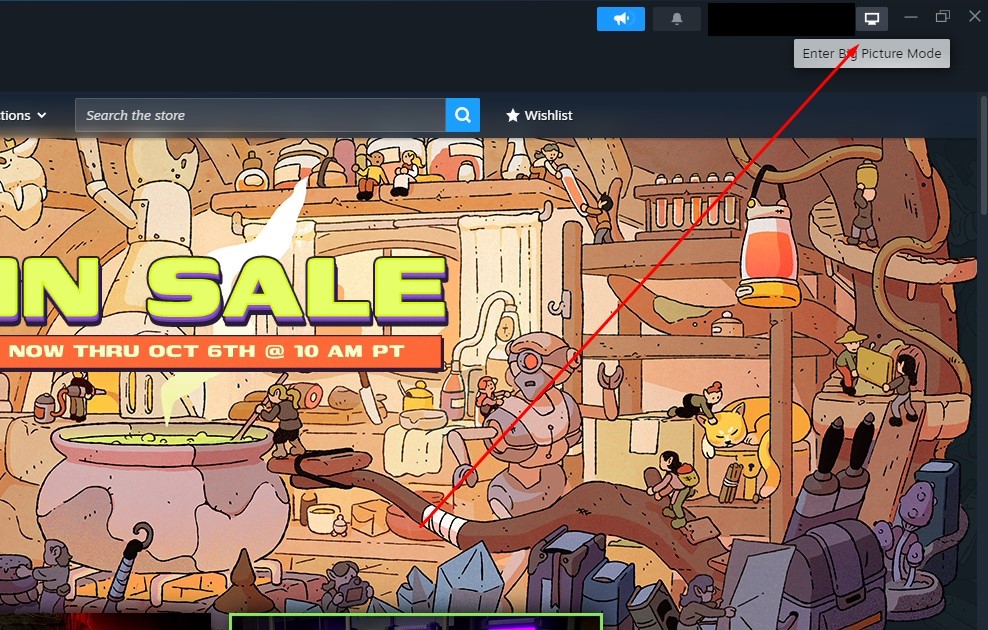
Open Steam in Big Picture mode (in the upper-right corner of the app).
-
Start downloading the game.
Even if you get kicked out again, the download will continue. -
After downloading the game:
Enable offline mode—now no one can kick you.
Frequently Asked Questions — VPESPORTS
-
No data after posting a comment
Comments require manual approval (2–4 hrs) -
Steam error 50
Turn on a VPN — usually fixes the issue. If not then try again later -
My comment doesn’t show up
All comments go through moderation — be patient
What are the criteria for a comment to be 100% approved?
-
Only in ENGLISH;
-
Did not exceed more than 5 lines;
-
Did not contain any extraneous special characters.
If you’ve followed all the instructions, your comment will definitely be approved as soon as possible!
Instructions for offline mode
-
Install the steam client
-
Log into Steam with the login and password that you received (when logging in, be sure to click the “remember on this device” checkbox)
-
Download game and install from Steam
-
Turn on the game until the game menu appears
-
Turn off the game
-
In Steam, in the upper left corner, click the menu (steam), set it to offline mode
-
Turn on the game
-
Enjoy
Lifehack for all
If you save account in steam and later it asks guard code you can disable internet on PC and login in account without code in offline mode ❤️
To all using accounts, after download pls go offline so others can access too.
You’ll only lose your progress by sudden steam shut down if you’re online
What to do if the game is not on the account?
Sometimes people hide a game in the list of games and the easiest way is described in the screenshots.