VPEsports

User Menu

Profile

jL

CS2 Players
Lithuania флаг
Lithuania

Justinas “jL” Lekavicius is a professional CS2 (and formerly CS:GO) player from Lithuania. He currently...

GAMER INFORMATION

Name Justinas Lekavicius
Team
Natus Vincere
Age / DOB September 29, 1999

MOUSE SETTINGS

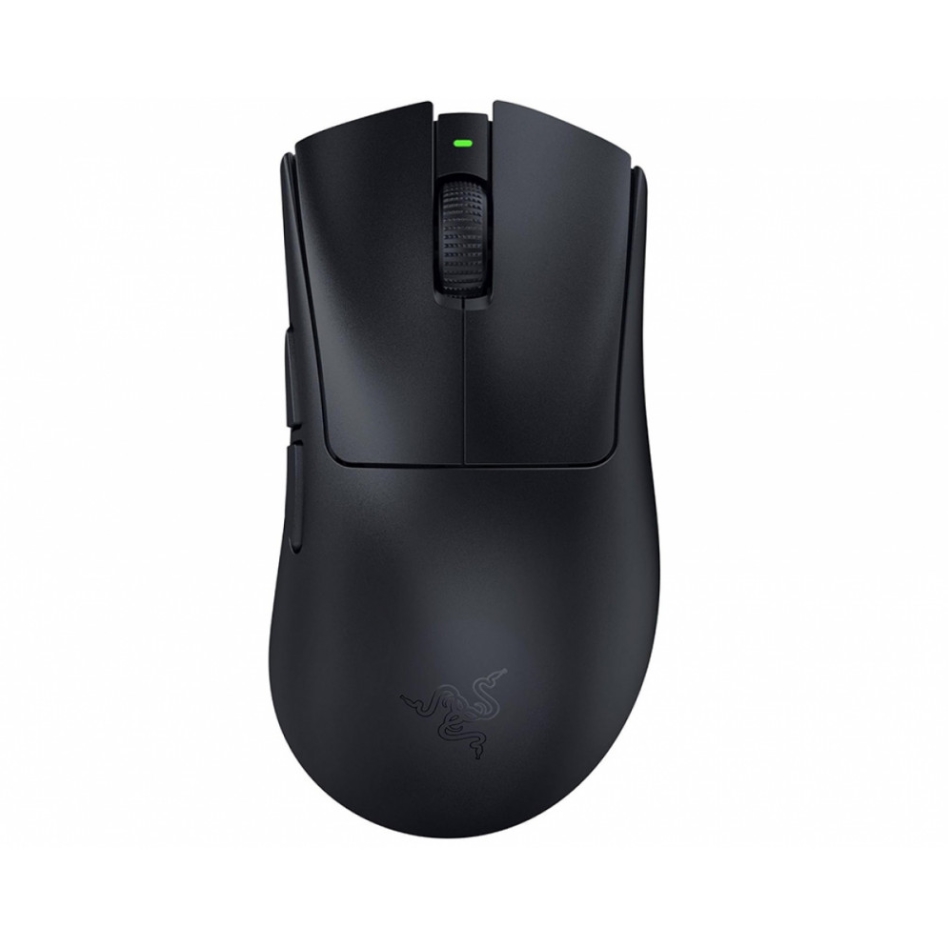
Razer DeathAdder V3 HyperSpeed
DPI 800
Sensitivity 1
eDPI 800
Zoom Sensitivity 1
Hz 1
Windows Sensitivity 6
Raw Input 1

CROSSHAIR SETTINGS

Alpha 255
Color 4
Blue 255
Green 255
Red 255
Dot 1
Gap -3
Size 1
Style 4
Sniper Width 1

VIEWMODEL SETTINGS

FOV 68
Offset X 2
Offset Y 2.5
Offset Z -1.5
Shift Left Amt 1.5
Shift Right Amt 0.75
Recoil 1
Righthand 1

BOB SETTINGS

Lower Amt 5
Amt Lat 0.1
Amt Vert 0.25
Cycle 0.98

LAUNCH OPTIONS

-novid -tickrate 128 -refresh 240 -high -full -nod3d9ex fps_max 0 cl_updaterate 128 cl_cmdrate 128

CONFIG

HOW TO INSTALL CONFIG
  • 1. Drop the cfg file along the path: Steam\steamapps\common\Counter-Strike Global Offensive\csgo\cfg
  • 2. Launch CS:GO!!!
  • 3. Open the console "~" We write
  • 4. exec jL.cfg
  • 5. Done
Download

VIDEO SETTINGS

Resolution 1280x960
Aspect Ratio 4:3
Scaling Mode Stretched
Display Mode Fullscreen
Global Shadow Quality High
Model / Texture Detail High
Texture Streaming Disabled
Effect Detail High
Shader Detail High
Boost Player Contrast Disabled
Multicore Rendering Enabled
Multisampling Anti-Aliasing Mode 8x MSAA
FXAA Anti-Aliasing Disabled
Texture Filtering Mode Trilinear
Wait for Vertical Sync Disabled
Triple-Monitor Mode Disabled
Use Uber Shaders Enabled

SKINS

★ Talon Knife | Fade (Factory New)
★ Moto Gloves | Spearmint (Field-Tested)
AK-47 | Vulcan (Minimal Wear)
M4A1-S | Printstream (Minimal Wear)
AWP | Lightning Strike (Factory New)

GEAR

ZOWIE XL2566K
ZOWIE XL2566K
Razer DeathAdder V3 HyperSpeed
Logitech G715
Logitech G715
Logitech G PRO X 2 Headset White
VAXEE PA P22
VAXEE PA P22
Justinas “jL” Lekavicius is a professional CS2 (and formerly CS:GO) player from Lithuania. He currently plays for the legendary Natus Vincere (NaVi) team and plays as a rifler. His style is aggressive, with a confident aim and lightning—fast decisions. Thanks to this, jL has become one of the most talked about players in the world of Counter-Strike in a short time. If you're looking for jL settings for CS2, its a CS crosshair.:GO or just want to look into the details of his game setup, you've come to the right place. All relevant information is collected here.

jL CS2 & CS:GO Settings (updated in 2025)

Mouse Settings (jL Sensitivity):
  • DPI: 800
  • Sensitivity: 1.00
  • eDPI: 800
  • Zoom Sens: 1.00
  • Windows Sensitivity: 6
  • Polling Rate: 1000Hz
Crosshair (jL Crosshair Code):
  • Style: Classic Static
  • Color: Custom (0/255/160)
  • Code: CSGO-psrEO-csAfS-mvRKX-DBZLq-JxXsO
  • Thickness: 0
  • Gap: -2.8
  • Length: 1.1
  • Dot: No
  • Outline: No
Viewmodel (jL Viewmodel Settings):
  • FOV: 68
  • Offset X: 2.5
  • Offset Y: 2
  • Offset Z: -1.5
Video (jL Resolution & Video Config):
  • Resolution: 1280x760 (Stretched)
  • Aspect Ratio: 4:3
  • Display Mode: Fullscreen
  • Brightness: 93%
  • Boost Player Contrast: Enabled
  • NVIDIA Reflex: Enabled + Boost
  • V-Sync: Disabled
  • Shadow Quality: High
  • Texture detail: High
  • MSAA: 4x
  • Shader Detail: High
Do you want to download jL CS2 config or jl.cfg? Scroll down the page to find download links and Steam launch options.

jL CS2 CFG & Config Download

If you want to repeat the success of jL, its CS2 config includes:
  • Sight Settings
  • Viewmodel
  • Launch Parameters
  • Sensitivity and fine-tuning of the mouse

jL Setup – equipment and devices

Do you dream of playing like jL? Here is his full pro setup:
  • Monitor: ZOWIE XL2546K (240Hz)
  • Mouse: Razer DeathAdder V3 HyperSpeed
  • Mat: Artisan Zero XL
  • Keyboard: Wooting 60HE
  • Headset: HyperX Cloud II Wireless
  • Graphics card: NVIDIA GeForce RTX 4090
Its configuration contains everything: jl.cfg, jl crosshair cs2, jl sensitivity, jl video settings. Bottom line: jL is the player you can (and should) learn from. Its settings are perfectly balanced between precision, speed and comfort. Try them and feel the difference for yourself.