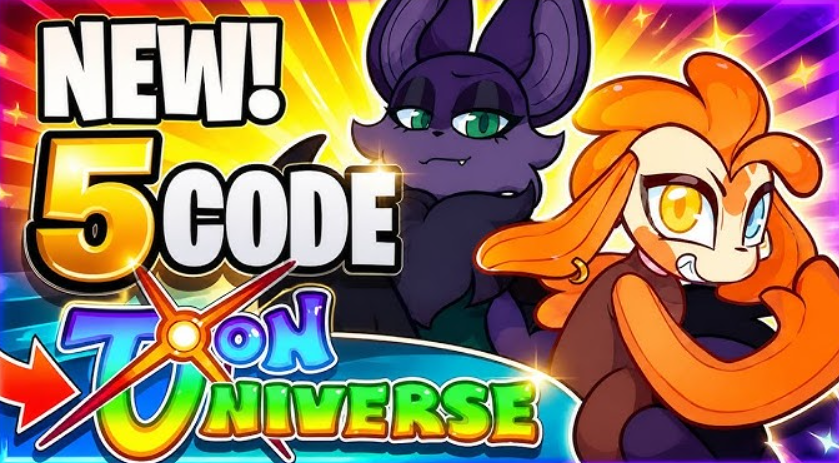
THANKYOU for 500 Malachor—and you’re already in the black. Toons Universe on Roblox is positioned as an adventure with a touch of mystery and survival. You gather resources and help build the future—it sounds pompous, but in reality, things aren’t easy at first. The developers are clearly counting on codes. They offer a free start: a couple of promo codes, and you’ll have Malachor (the local currency) in your pocket. Without hours of grinding, runs become noticeably more fun.
Table of Contents
Working Toons Universe codes for Malachor and free bonuses
The only working one today:
There are no expired codes yet—the game is fairly new, and the developers haven’t yet churned out outdated promo codes.
How to effectively spend Malachor on leveling up and new zones
It’s not just numbers. You can invest your currency in upgrades, tools, and items that speed up exploration of the vast map, protect you from unexpected events, and prevent you from getting stuck gathering resources. Instead of spending hours farming alone, you can activate a code, claim your bonus, and get straight to the fun part: teamwork with friends or unlocking new zones.
Global Roblox promo codes for free items and skins
These aren’t directly related to Toons Universe, but they do allow you to claim free accessories for your account. As of May 2026, the following are still valid:
| Code | Reward |
|---|---|
| FREENGNBOI | Nguyen Boi Bundle |
| FREENGNGON | Nguyen Gon Bundle |
| SPIDERCOLA | Spider Cola Shoulder Accessory |
| TWEETROBLOX | The Bird Says Shoulder Accessory |
Similar bonuses are offered in other Roblox games: some codes award currency, others temporary boosts, pets, spins, potions, chests, or unique items. So if you constantly switch between different games, it makes sense to keep an eye on promo codes for more than just Toons Universe. Check the developer updates at least once a week—they often contain pleasant surprises.
Instructions for redeeming codes in Toons Universe
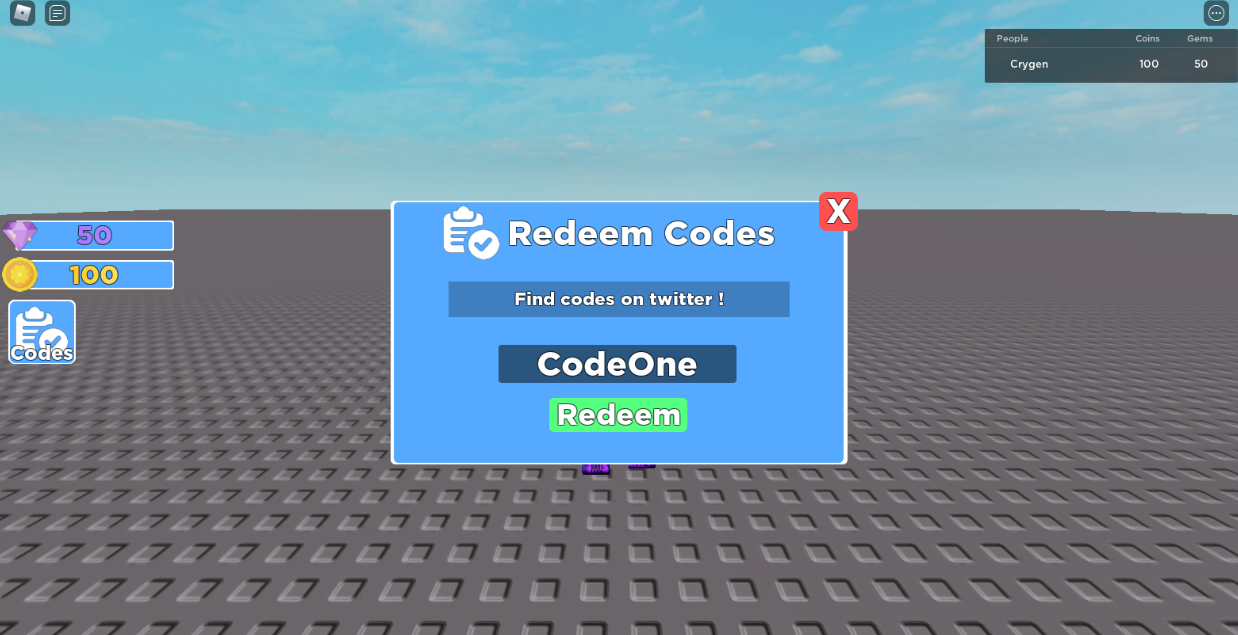
It’s simple—even a beginner can handle it. Log into the game and look for the code entry button on the left panel (it’s usually the most obvious one). Click it, and a window will open. Now carefully enter or paste the code—it’s important to type it exactly as it appears in the list, including case-sensitive entries. Press Enter or the activation button. Done: rewards will appear instantly.
Free items in the Roblox Marketplace without using codes

There’s another easy way to score freebies—no codes at all. Visit the Roblox Marketplace, open the price filter, and set the maximum price to 0. The system will display all the items available for free. Choose the one you like, open the card, and claim it. If you’re eager to try it on, skip straight to customizing your avatar. It’s a small thing, but a nice touch.
Ways to activate rewards in Roblox via the website and within places
Roblox developers have provided two ways to earn free goodies: through the official website and directly within the Roblox playlist. Understanding this isn’t difficult if you know a few tricks. Incidentally, the process for activating global bonuses and in-game rewards (like currency in Toons Universe) is very different.
Activating bonus combinations on the official Roblox website
To receive Robux or unique accessories, which will be available in all games, you need to use a browser. Important: the Roblox mobile app on smartphones does not support entering promo codes. If you’re playing on a phone, you’ll still need to open Chrome or Safari.
The instructions are extremely simplified:
-
Go to roblox.com/redeem. Naturally, you need to log in to your account first.
-
Find the “Enter your code” field.
-
Enter the combination of characters. Be sure to use capital letters: if the letters are uppercase, use all uppercase letters. Extra spaces at the beginning or end can also ruin everything.
-
Click the Redeem button.
If everything went well, the system will confirm. You can immediately find your newly-minted skin, hat, or currency in the Avatar or Inventory sections.
Entering secret codes in BloxStrike and Dragon Blox
Many popular games like Toons Universe, BloxStrike, or Dragon Blox have their own reward system. These codes don’t work on the website’s main page—they must be entered directly into the game.
The procedure is as follows:
-
Launch the desired playstation and wait for the lobby to fully load.
-
Look for a button labeled “Enter code,” “Redeem,” or an icon with the Twitter logo (a bird)—developers often use this as a symbol for bonuses. It’s usually located somewhere on the side or in the corner of the screen.
-
Paste the code and confirm your entry.
-
Look at the screen. If you see a notification or hear a distinctive sound, it means you’ve already received the reward.
Sometimes a code isn’t accepted. There are usually three reasons: it’s expired, you entered the wrong symbols, or the bonus has already been activated. Remember, almost all Roblox promo codes are one-time use. This trick won’t work twice.
Bonus Activation Summary
| Activation Method | What You Can Get | Nuances and Limitations |
|---|---|---|
| Official website roblox.com/redeem | Global items: Robux, exclusive skins, Gift Cards. | Does not work via the app; requires strict case sensitivity. |
| In-game interface (Toons Universe, etc.) | Local boosts: place coins, XP, temporary upgrades. | The code is tied to a specific game; may require joining the project’s group. |
If you don’t receive your reward immediately, don’t panic. Sometimes Roblox servers need a couple of minutes to update your inventory. Coincidence? No, it’s just normal database delays. Just wait a bit, and the update will definitely appear.
Where to find new Toons Universe promo codes from the developers
The developers don’t just throw promo codes around. Their main gathering point is the official Discord server. They publish updates, teasers, and, most importantly, direct links to new codes. I recommend joining—sometimes they crash without warning. But there’s an easier option. We’re constantly updating this article: as soon as a working code appears, it’s immediately added to the table above. Check back every few days, and you’ll never miss a thing. Just don’t delay activating—promo codes have a habit of expiring at the most unexpected times. Finding a working combination is a real quest. It’s May 2026, and freebies are spreading across the internet faster than developers can fix bugs, so you should only monitor trusted sites. When searching for bonuses, the key is to avoid getting a dud. (By the way, the closer the source is to the developer, the higher your chances of success.)
Monitoring Discord and Twitter for limited-time bonuses and rewards
First, you should check the official Discord servers of major projects like Toons Universe, BloxStrike, or Dragon Blox. Developers often roll out new promotional codes in channels like #announcements or #codes right at the release of a major update. This is perhaps the most reliable method—the code comes directly from the creators. A similar tactic works for Oil Tycoon. Don’t forget about the studios’ Twitter/X and YouTube channels. There, bonuses are often awarded for audience activity or reaching a certain number of likes under the game’s page. It seems like this is the easiest way to claim the limited code, simply by turning on notifications.
The best sites with tables of current codes for May 2026
If you’re too lazy to subscribe to dozens of servers, it’s easier to check major gaming portals. On sites like esports.ru, cyber.sports.ru, or RobloxGo, editors regularly update collections marked “May 2026.” (And that’s no exaggeration—they strictly monitor the relevance of codes there.) The main advantage here is the convenient tables that immediately show which code is still “live” and which has been relegated to the expired category. Don’t forget to check when exactly the article was last updated. If the material is old, the codes inside are likely already rotten. It’s better to bookmark a quality guide once than to waste time watching dubious videos with clickbait titles.
How to protect your Roblox account and avoid fake codes

An important rule of survival: avoid forums that promise “free Robux” by entering your personal information. This is a classic scam. If a site asks for your account password or requires you to complete a dubious “verification” process with confirmation through third-party services, close the tab. Genuine Roblox promo codes will never require your confidential information or payment. Remember: there’s no such thing as a free lunch.
Comparison of sources: which is faster and safer
| Search Platform | Bonus Type | Verdict |
|---|---|---|
| Official Discord (Toons Universe, BloxStrike) | In-game boosts, currency, items | Maximum speed, 100% reliability from the authors. |
| Media aggregators (prostoprosport.ru, cyber.sports.ru) | Up-to-date collections for all games at once | Ideal for mass farming as of May 2026. |
| Twitter/X and YouTube channels of studios | Event codes, limited items, seasonal rewards | Rare but very generous bonuses for subscribing. |
Final advice: don’t be lazy in checking the code release date. One promo code might have worked perfectly a week ago, but the system won’t accept it today. The time saved is better spent on gameplay itself.