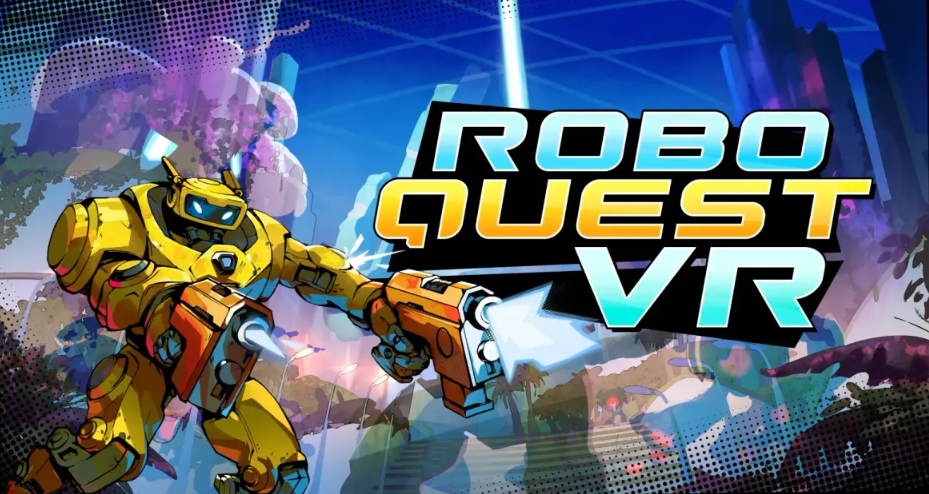
Developers Flat2VR Studios released a long-awaited update for Roboquest VR: cross-platform two-player co-op became available on July 23rd on PS VR2, SteamVR, and Meta Quest 3. The patch united players across all target platforms into a single network, allowing Guardians to complete runs together, regardless of their headset.
Co-op was originally planned to launch on May 21st, coinciding with the release of the Meta Quest version. However, Flat2VR Studios decided to delay the update by two months. The reason: the Quest version required some refinement—the developers meticulously equipped it with a full set of features to ensure cross-play worked seamlessly, rather than being stripped down. Ultimately, the new feature was released not as a hasty patch, but as a full-fledged update, with every detail designed with the player experience in mind.
Table of Contents
Cross Platform Co Op in Roboquest VR and Its Features
Since July 23rd, Roboquest VR supports co-op on all platforms where the game is currently available. This means Meta Quest 3 owners can easily play with a friend on SteamVR or PS VR2—without the hassle of using third-party services. Co-op emphasizes true teamwork: players collect separate sets of equipment, share weapons, revive fallen comrades, and fight their way through hordes of mechanical enemies together. Chests and rewards are generated individually for each guardian, but overall progress is synchronized—both players advance as a single team.
For those unfamiliar, Roboquest VR is a fast-paced roguelite first-person shooter, completely redesigned for virtual reality. The game features over 70 weapons, manual reloading, physical shooting, high-speed movement, multiple guardian classes, procedurally generated runs, and ongoing base upgrades. The VR version takes the combat to a whole new level, requiring you to dodge, reload, and aim in mere fractions of a second.
Reasons for the Delay of the Co Op Update
In March 2026, at the VR Games Showcase, Flat2VR Studios announced that Roboquest VR would be released on Meta Quest on May 21st, with co-op mode coming to all three platforms on the same day. However, closer to the release date, the studio announced a delay. The clue lies in technical difficulties: the developers encountered issues integrating cross-play for the Quest version and decided not to release a limited version. Instead of releasing co-op only between SteamVR and PS VR2, leaving Quest players out, Flat2VR Studios pushed the entire update to July 23rd. The decision was risky, but the right one: it is better to wait two months than to receive a weak co-op experience that will disappoint some of the audience. Incidentally, there have been previous examples in the industry where cross-play was launched with limitations, and each time, it sparked a wave of discontent. Flat2VR Studios chose a different approach: polishing the functionality across all platforms simultaneously. Now, on July 23rd, the long-awaited update has arrived.
Supported Platforms and System Requirements
Roboquest VR is currently available on three platforms, and co-op is fully functional on all three:
The minimum system requirements for PC VR are: 64-bit processor, 16 GB of RAM, a NVIDIA 1660 or equivalent graphics card, and OpenXR support.
How to Set Up Co Op Play in Roboquest VR With Friends
The update has been released—and now the big question: how to start a co-op game? The game offers three ways to find a partner, and all of them work on any platform.
Quick Matchmaking via Quickplay
The easiest option for those without a friend in the queue. The system automatically finds another player who is also running Quickplay at the same time. This is ideal if you want to improve your high score with a random Guardian or if your regular partner is offline. The wait time is usually no more than 10-15 seconds. One thing to keep in mind: Quickplay does not take into account class preferences or playstyles, so be prepared for surprises.
Connecting to a Session Using a Room Code
The most reliable way to play with a specific friend, especially if you are on different platforms. It is incredibly simple:
-
One player creates a room and receives a unique code.
-
Sends the code to their friend using any convenient method—message or voice.
-
The second player enters this code in the appropriate field and is instantly connected.
The code is only valid for one session, so it cannot be accidentally intercepted. This is not the only security aspect—the system also checks the game version and region to ensure a stable connection.
Directly Invite a Friend via the In Game Menu
The third method is for those who have already established contact with a friend via the in-game interface. Before the campaign begins, you can send a direct invite via the game menu. Your friend receives a notification and can join with a single click. This option is faster than the others if your partner is already online and ready to fight.
An important detail: all three methods work cross-platform. A Meta Quest 3 player can invite a friend on PS VR2 via a room code—no problem. Shortly after the patch launched, the developers confirmed that the system can handle the load reliably.
Conclusion: If you are playing with a friend, use a room code or a direct invite. If you are looking for a random partner, Quickplay will not let you down.