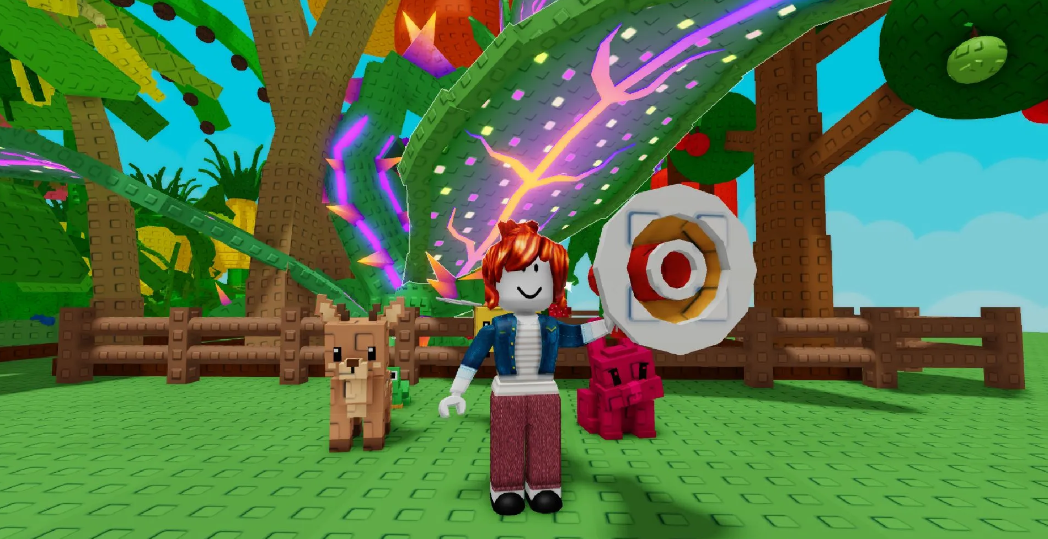
A curious gadget has appeared in the Roblox gardening simulator Grow a Garden 2: the Megaphone. For 8,000 shekels (the local currency), you get this gadget that can play any sound from Roblox’s vast library. It doesn’t affect your crops or cause mutations—it’s just plain fun. But if you’re tired of the wind or want to throw a disco in your garden, this device is for you. Let’s figure out how to activate it, which Sound IDs work, where to find new ones, and whether it’s worth spending your hard-earned shekels on it when your garden isn’t yet generating a stable income.
Table of Contents
How to enable the Megaphone in Grow a Garden 2?
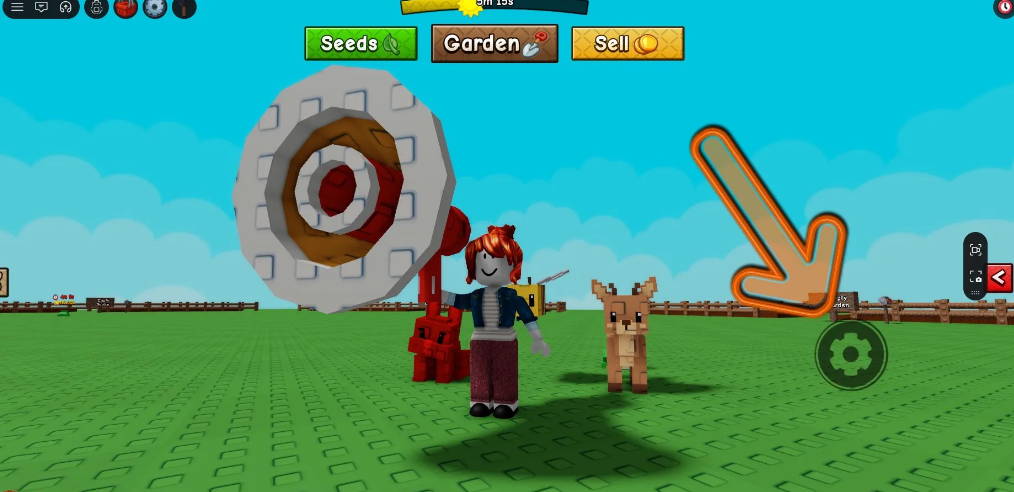
You’ve bought it—now you need to equip it. Open your inventory, find the Megaphone, and equip it. A gear icon will appear on the right side of the screen. Tap it, and a field for entering a digital code will appear. Enter the desired sound ID, and voila, your crops will start “singing.” You can only play one track at a time. But you can change it every second—there’s no time limit. This is convenient if you want to create a playlist to suit your mood.
Why isn’t Sound ID working on Megafon?
You’ve entered the coveted code, but the garden beds are stubbornly silent? Don’t rush to blame the mechanics of Grow a Garden 2—in nine out of ten cases, the root of the problem lies somewhere in the audio file itself. The fact is that back in 2022, Roblox radically overhauled its audio policy, conducting a massive purge due to copyright issues. As a result, thousands of old IDs instantly turned into pumpkins: a digital trace remained in the database, but physical playback was blocked. This is why, even if you entered the numbers correctly, you hear only silence. Here are the most common reasons for sound breakdowns on Megafon:
-
Track status is private. The developer uploaded the audio exclusively for personal use, blocking access to third-party players. This is perhaps the most common reason for silence on the air after the 2023 updates.
-
Moderation ban. The composition could have been deleted by the author themselves, or it could have been quickly removed by Roblox moderators for violating the DMCA. The ID number doesn’t disappear, but it’s now empty.
-
Regional restrictions. Due to licensing issues, some audio recordings simply don’t play on servers in certain countries.
-
Syntax errors. Simple carelessness—an extra space, a random letter in a string, or an attempt to paste an entire link instead of pure numbers.
-
Server drops. During peak hours, Roblox servers experience significant server churn, causing media files to load slowly for 3-5 seconds.
How to fix the sound error in Grow a Garden 2?
There’s no universal solution, but the process of elimination works flawlessly. We’ve put together a quick table to help you quickly isolate and fix the problem.
Insider lifehack: To avoid wasting precious time and resources on endless tests in Grow a Garden 2, test new IDs in any free player with Boombox. If the melody plays there, it’s guaranteed to play on your Megafon. If there’s silence everywhere, feel free to cross this code off your list.
Popular working codes for Roblox music
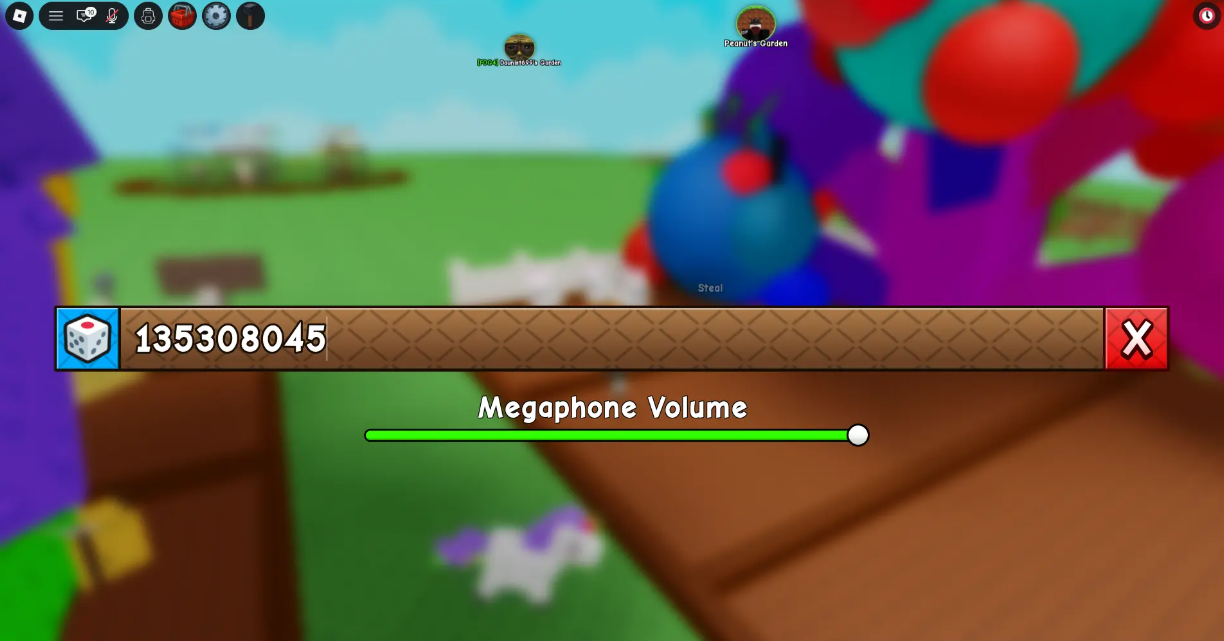
Roblox stores a huge collection of audio files, from classical music to memes. Each sound is assigned a unique number. Here’s a selection of the most recognizable melodies and effects that are sure to make your server neighbors smile (or sigh with envy). Best Roblox Sound IDs (tested by us):
-
Classic Easter – 1836009208
-
Noisestorm – Crab Rave – 5410086218
-
Morning Mood (Peer Gynt Suite) – 1846088038
-
Horror Pantomime – 1836272467
-
MESMERIZER / メズマライザー (Clown Remix) – 71934965392436
-
LIKE THE MOONLIGHT ‘FUNKY HOUSE MIX’ – 111560286322896
-
Whatcha Say – Jason Derulo – 168208965
-
Get Hyper – Droideka – 138855854
-
Trumpets – Jason Derulo – 146237847
-
Windows XP – DJ Titon – 1626996526
-
God’s Plan – Drake – 1665926924
-
Stronger – Kanye West – 136209425
-
Raining Tacos – Parry Gripp – 142376088
-
Running – Tom Hillock feat. Nicolas Boscovic – 1843436418
-
Stadium Rave – Spongebob Squarepants – 1846368080
-
Black And Yellow – Wiz Khalifa – 139235100
-
Moves Like Jagger – Maroon 5 feat. Christina Aguilera – 291895335
-
Jenny – Studio Killers – 170103636
-
Deja Vu – Dylan R Berry feat. Francisco Mario Hernandez Jr, Mike.. – 1837021402
-
May We All – Florida Georgia Line feat. Tim McGraw – 628874064
-
Wooden Bear – Gil Flat – 1844397736
-
Tokyo Drift – Fumitake Igarashi – 1837015626
-
Intergalactic – Beastie Boys – 131603357
-
Let’s Get It Started – The Black Eyed Peas – 138134680
-
I’m Tickled Pink – Jack Shaindlin – 1837485466
-
Ooh Kill Em – Meek Mill – 139222895
-
Money, Money, Money – Meryl Streep feat. Julie Walters – 1000123073
Where to look for new musical Sound ID Roblox?
Hundreds of other tracks and effects are available on the dedicated website robloxsong.com. Search for the track or artist you want, and it will return the ID. The Roblox community has entire playlists for a wide variety of games, so you’ll definitely find more than just this list.
Is it worth buying a Megafon in Grow a Garden 2?
From a gameplay perspective, no. The Megaphone doesn’t speed up plant growth, doesn’t increase mutation chances, and doesn’t add coins. It’s a purely cosmetic gadget that stays with you forever after purchase. It’s a one-time investment, and once your garden starts generating a steady income, it’s well worth it—it’s so nice to play your favorite tune while harvesting. But if you’re just starting out and your shekels are running low, it’s best to invest in upgrades that actually boost your income first: check out our guides on mutations and multipliers—they’ll explain what to upgrade first. The Megaphone can wait. Want to learn about weather events, pet ranks, or crate drop rates? Our complete Grow a Garden 2 guide has answers to everything from starting strategy to endgame content. Welcome to a world where even gardening can sound like a rock concert.
Next on topic: Pet Tier List