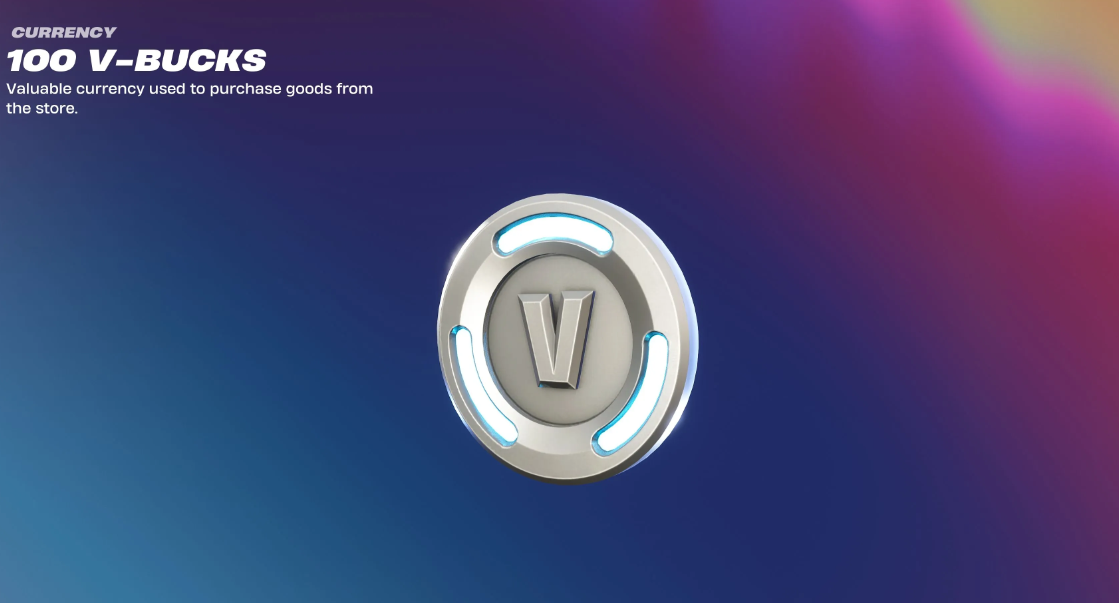
With the release of Chapter 7 of Season 3, Fortnite introduced a legal way to farm in-game currency—the developers have made it possible to return old skins and cosmetics to the store without spending precious tickets. Epic Games has effectively launched a hidden generosity attraction. It seems you definitely shouldn’t miss this chance to get your V-Bucks back while the loophole remains open.
Table of Contents
Instructions: Free Fortnite Item Refunds Without Tickets
You can get rid of unwanted junk and get fresh V-Bucks directly from the in-game menu. The process takes just a couple of minutes, and the steps are as follows:
-
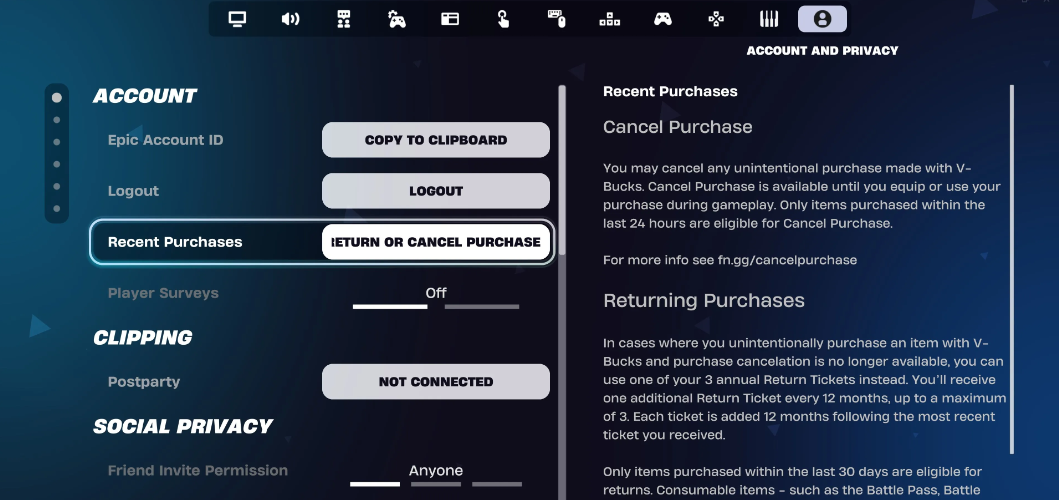
Go to your profile settings. Open the “Social” tab, then immediately go to the “Battle Royale” settings.
-
Find the privacy settings. The section we’re interested in is “Account and Privacy.”
-
Open your transaction history. In the “Recent Purchases” line, click the “Return or Cancel Purchases” button.
-
Select the available skins. We’re looking for cosmetics with the coveted “Return without ticket” sign next to them.
The coolest thing about this update is the complete lack of timing. The usual 30-day rule doesn’t apply here: gamers are sharing screenshots of themselves exchanging skins they bought in 2019 for V-Bucks. There’s no quantity limit either—return as many as you like, and your refund tickets will remain intact.
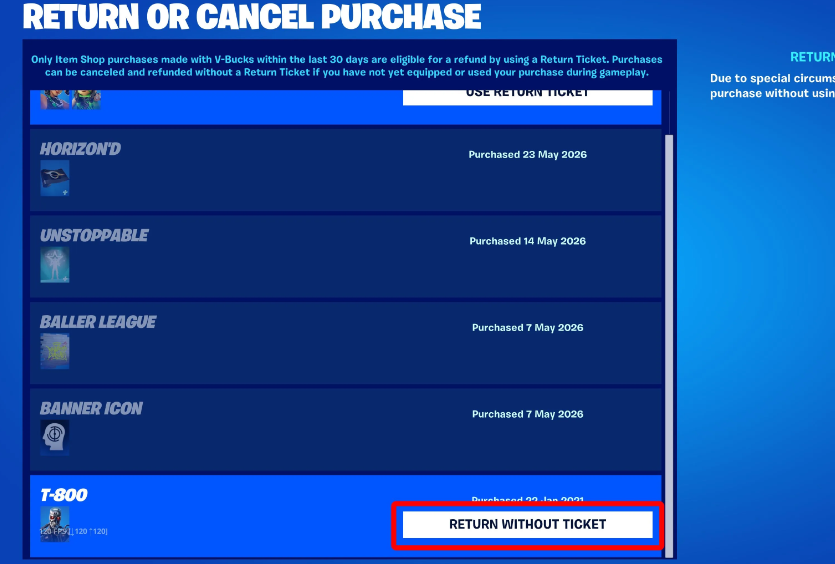
The reason for this loyalty is simple: the deal targets problematic digital goods that Epic Games sold by mistake, broke with updates, or released with bugs. The list of confirmed items is constantly growing, but right now, V-Bucks are guaranteed to be refunded for the following items:
-
Legendary T-800 skin
-
Customizable superhero skins and related items (including The Mighty Volt, Dynamo Dancer, and Backlash)
-
Controversial Toy Trooper and Plastic Patroller skins
-
Two Scoops tool
-
“Go Home!” animation
-
The summer Beach Jules skin
-
The cute but buggy “Bear Hug” emote
-
The famous Dragacorn hang glider
-
Themed skins based on the “Danny Phantom” franchise
-
A pickaxe called Godslayer
-
The popular “Party Hips” emote
-
The Nimbus Cloud glider
-
The recent Ford Mustang GTD sports car, complete with attachments
Will V-Bucks be deducted after a purchase is cancelled?
The Fortnite community initially panicked—it looked like a major technical glitch, which could easily lead to an account ban or a negative balance. The situation was quickly clarified by Epic Games’ senior community manager, who officially confirmed that the feature is completely legal and intentional. The currency will remain on your account, and you can safely spend the V-Bucks you’ve earned on new skins in the Epic Games Store. Of course, the refunded items will disappear from your in-game locker forever.
Next guide: Complete Week 1 Challenges Guide – 12,000 XP per quest.