

If someone had said in 2010 that a custom flight simulator would one day recreate the entire surface of the Earth — with real clouds, live airports, and up—to-date weather from the Internet – it would have been written into fiction. Microsoft Flight Simulator 2020 has done just that. And the 40th Anniversary Edition, an anniversary reissue that came out exactly forty years after the first game in the series, has turned into one of the most content—rich editions in the history of the genre. It’s not just a flight simulator anymore. This is a digital twin of the planet with a cockpit.
Table of Contents
What is Microsoft Flight Simulator 2020 and why has it become an event in the gaming industry
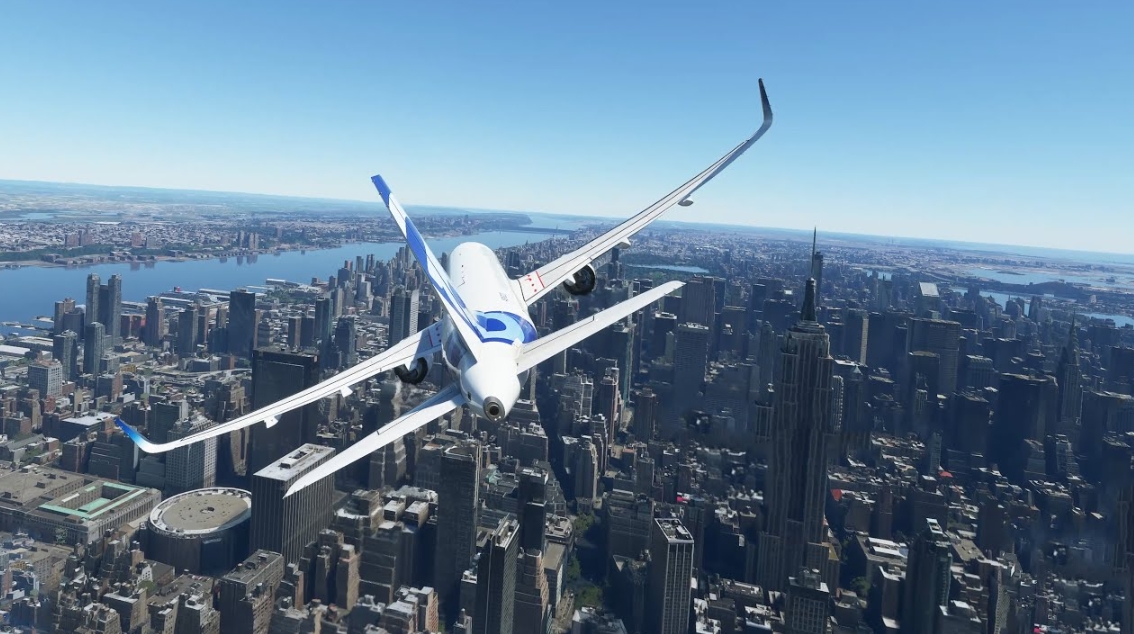
The Microsoft Flight Simulator series has been around since 1982, and it is one of the oldest gaming brands in the history of PC gaming. But it was the release of 2020 that turned the idea of what a flight simulator could be. Developers from Asobo Studio have used Bing Maps satellite data, machine learning technologies, and cloud data streaming to recreate more than 1.5 billion buildings, mountain ranges, forests, coastlines, and bodies of water around the world.
You can take off from Sheremetyevo Airport, gain altitude and see the distinctive silhouette of Moscow’s skyscrapers through the porthole. Or fly over the Fuji volcano in Japan at dawn, when the sky turns orange. Or land the Cessna 172 on a grassy strip in the Scottish Highlands while a real fog is coming from below — exactly the way it was at that point in the world at the time of your flight.
These are not marketing statements. This is what MSFS 2020 does every time you launch it.
What the 40th Anniversary Edition adds: helicopters, gliders, and Aviation History
The anniversary edition is not just a cosmetic reissue with a new box. This is the largest content update since MSFS 2020, and it adds several fundamentally new mechanics.
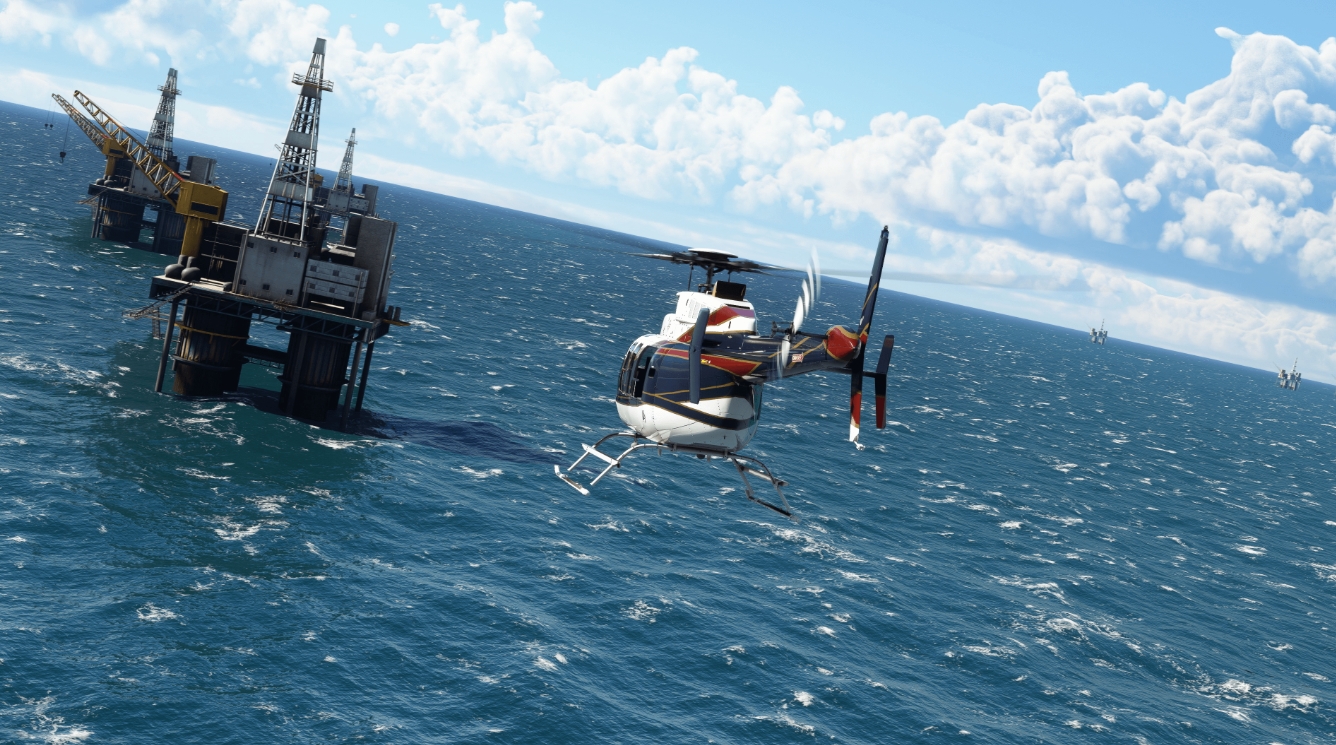
Helicopters are the main sensation of the update. Until the 40th Anniversary Edition, MSFS 2020 was a simulator exclusively of fixed-wing aircraft. Helicopter control is a fundamentally different task: it requires constant micro—correction along three axes, reacts differently to the wind, and even “thinks” differently than an airplane. The edition includes two helicopters — Bell 47G and Airbus H135 — each with a unique flight model and detailed cabin. Together with them, 14 helipads appeared around the world.
Gliders are another mechanic that didn’t exist before. Two airframes with realistic aerodynamics and 15 airfields provide a completely different flight experience: silence, updrafts, and the search for thermals above the heated ground. If you’ve never tried flight simulator planning, it’s almost a meditative experience.
Historical Aircraft — a collection of seven iconic aircraft spanning 120 years of aviation:
-
Wright Flyer (1903) — the world’s first Wright brothers aircraft
-
Curtiss JN-4 Jenny (1915) — a World War I training biplane
-
Ryan NYP “Spirit of St. Louis” (1927) — Lindbergh aircraft
-
Douglas DC-3 (1935) — one of the most iconic airliners in history
-
De Havilland Canada DHC-2 Beaver (1947) — legendary float aircraft
-
Grumman G-21 Goose (1937) — flying boat
-
Hughes H-4 Hercules “Spruce Goose” (1947) — the largest wooden aircraft ever built
The Airbus A310 is a realistically recreated wide—body airliner with a fully functional cabin, FMS system and procedures as close as possible to real ones. This is perhaps the most technically challenging aircraft out of the entire MSFS 2020 40th Anniversary Edition box.
Total in the 40th Anniversary Edition:
| Category | Quantity |
|---|---|
| Total aircraft | 37 (including basic ones) |
| New aircraft in the anniversary update | 12 |
| Helicopters | 2 |
| Gliders | 2 |
| Historical aircraft | 7 |
| Manually created airports | 25 |
| Classic commercial airports | 4 |
| Helipads | 14 |
| Glider airfields | 15 |
| Classic tasks from previous parts | 24 |
List of Microsoft Flight Simulator 2020 aircraft: what flies in each edition
One of the main questions for buyers is how many planes are in Microsoft Flight Simulator 2020 and which ones are specifically included in each version. The Standard 40th Anniversary Edition includes 20 aircraft with unique flight models, the Deluxe adds 5 more, and the Premium Deluxe adds 5 more on top.
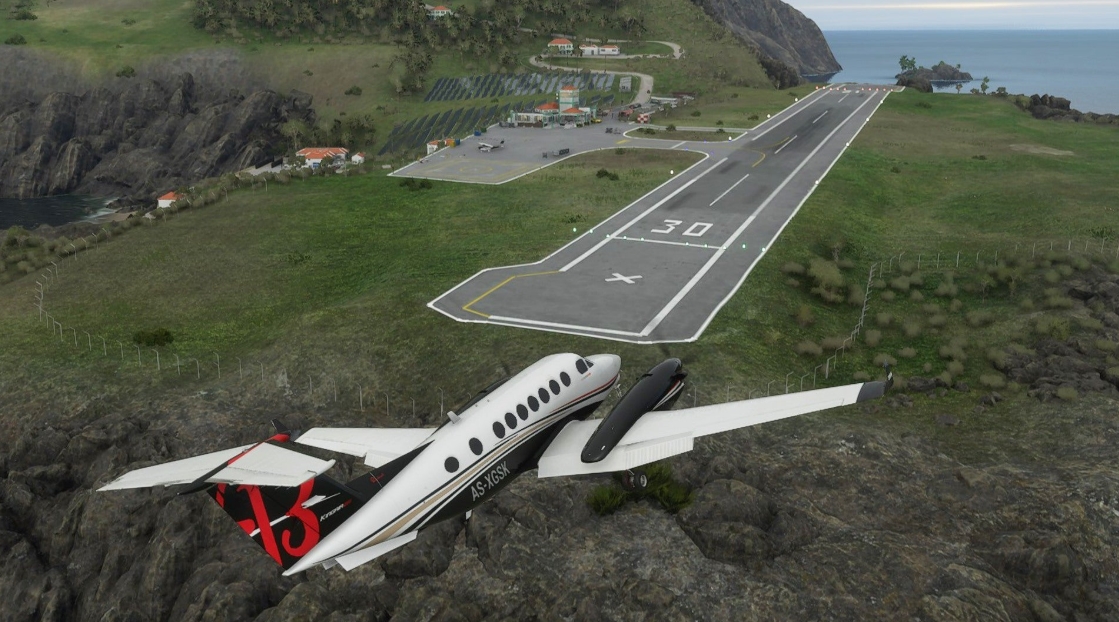
Without listing each machine in detail, it is important to understand the range: from ultralight training aircraft (Cessna 152, DA20) to long-range wide-body airliners (A310, Boeing 787 in Premium Deluxe). Among them are business jets, single—engine piston engines, Bush Flying aircraft, classic airliners and those very historical machines.
The view from the cockpit deserves special attention. The Cockpit view in MSFS 2020 is not a conventional panel with multiple buttons. The cabins have been recreated with photographic precision: every toggle switch, every flight horizon, and every light bulb on the dashboard are interactive and work in accordance with real procedures. The physics engine supports more than 1,000 control surfaces for each aircraft, which is one of the key technical parameters of the simulator.
Gameplay of Microsoft Flight Simulator 2020: how it works in practice
Describing the gameplay of MSFS is not a trivial task, because it differs fundamentally from player to player.
A casual approach. You choose a plane, set a route from point A to point B, turn on maximum assistance and enjoy the views. The MSFS assistance system is well thought out: it highlights the necessary controls, automatically controls the engine, and shows hints when working with the landing gear and flaps. In fact, you get an interactive photorealistic attraction. And it works great.
A simulation approach. You study checklists, perform pre-flight training, set the weather from real time, set up realistic wind and bumpiness. For instrument flights (IFR), you need to master FMS, SID/STAR procedures, and work with ATC. For VFR — orientation by map and visual landmarks. This is already a serious study, and some amateur pilots use MSFS as an additional training tool.
Research approach. MSFS 2020 is simply the most beautiful way to travel the Earth without leaving your home. Flying over Antarctica in a snowstorm, looking at the Alps from an altitude of FL250, landing at a small airport in the Maldives — it works as a meditation and as a way to see familiar places from a different angle.
It is important to understand that the game requires exploration rather than victory. There are no missions in the usual sense, no enemies, no “ending”. The task structure in the 40th Anniversary Edition adds several directions — classic tasks from previous installments (24 pieces), training flights, and complex landings at non-standard sites. But the main gameplay loop is freedom.
Microsoft Flight Simulator 2020 System Requirements: what you need for a normal game
MSFS 2020 is one of the most demanding PC games, and you need to be prepared for it. The game actively uses data streaming from the cloud, so in addition to powerful hardware, you need a stable Internet connection — preferably from 20-50 Mbps for comfortable downloading of high-resolution textures.
| Configuration | Processor | Video card | RAM | Quality |
|---|---|---|---|---|
| Minimal | Intel i5-4460 / AMD Ryzen 3 1200 | GTX 770 / RX 570 | 8 GB | 720p, low settings |
| Recommended | Intel i5-8400 / AMD Ryzen 5 1500X | GTX 970 / RX 5700 | 16 GB | 1080p, average settings |
| High | Intel i7-9800X / AMD Ryzen 7 Pro 2700X | RTX 2080 / RX 5700 XT | 32 GB | 1440p, high settings |
| Ultra (4K) | Intel i9-9900K / AMD Ryzen 9 3900X | RTX 3080 / RX 6800 XT | 32 GB | 4K, ultra |
There are several practical nuances that are not mentioned in the official documentation. Firstly, the processor in MSFS 2020 is no less important than the graphics card — the game uses multicore well, and a weak CPU will become a bottleneck even with a top-end GPU. Secondly, Internet speed is critical not only for texture quality, but also for real-time meteorology: without it, the game uses static data, and the “live weather” ceases to be alive. Thirdly, SSD is required — booting from HDD makes the start of the flight painful.
Disk space: the basic installation takes about 150 GB, but the streaming cache may additionally take up another 50-100 GB, depending on the settings.
Cockpit views in MSFS 2020: why cockpit view is the most important
The view from the cockpit in Microsoft Flight Simulator 2020 is not just “beautiful”. It’s a functional, detailed work environment that fundamentally changes immersion.
Each aircraft has its own unique cabin, recreated from real photographs and drawings. All the instruments are interactive: you flip the toggle switches, pull the levers, press the buttons — and the plane reacts. Glass cabins (G1000, G3000, Garmin GNX 375) work the same way as in real aircraft — with the same menus, the same route programming procedures.

The cabin lighting varies depending on the time of day: at sunset, the panel is bathed in golden light, at night the instrument illumination creates a cozy bluish twilight. These are small things, but they work for the atmosphere.
VR support is a separate story. MSFS 2020 supports SteamVR, Oculus/Meta, and OpenXR, and with a helmet, the game turns into something fundamentally different. Sitting in the virtual cockpit of a Boeing, seeing the dashboard in front of you as if it were alive, and looking at the horizon is an experience that is difficult to describe in words and that not a single screenshot conveys.
Play hundreds of titles with our trusted free steam accounts with games.
Microsoft Flight Simulator 2020 price: how much does it cost and what to choose
The pricing structure of the MSFS 2020 40th Anniversary Edition looks like this:
-
Standard 40th Anniversary Edition — Basic version with 20 aircraft, 30 airports and new anniversary update content
-
Deluxe 40th Anniversary Edition — adds 5 additional aircraft and 5 manually created airports
-
Premium Deluxe 40th Anniversary Edition — maximum configuration: 5 more planes and 5 airports on top, including the most detailed airliner class machines
The game is available on Steam and the Microsoft Store, and is also included in the Xbox Game Pass (PC) subscription. For most users, the most sensible way is to start with the Standard Edition and, if necessary, purchase additional content from the marketplace.
Important point: If you already own the basic version of MSFS 2020, most of the anniversary content (helicopters, gliders, historical aircraft, classic missions) has been added as a free update for existing users. This is a good signal about the product support policy.
Microsoft Flight Simulator 2020 vs 2024: is it worth switching
With the release of Microsoft Flight Simulator 2024, the question naturally arose: is MSFS 2020 outdated? In short: no, it is not outdated, but each of them has its own niche.
| Parameter | MSFS 2020 (40th Anniversary) | MSFS 2024 |
|---|---|---|
| Career mode | No | Yes (firefighting, search and rescue, cargo transportation) |
| Helicopters | There is (since the 40th Anniversary) | Yes, advanced physics |
| Getting off the plane | No | There is |
| Flight Physics | Detailed | Improved |
| Disk space | ~150 GB | ~50 GB (streaming model) |
| Ecosystem maturity | High (4+ years of updates) | More recent |
| Third-party add-ons | Huge selection | Limited (for now) |
| Game Pass | Yes | Yes |
MSFS 2024 offers a more ambitious structure — the career mode turns the simulator into something similar to a progression game. Flight physics and aerodynamics have been improved. You can get off the plane and wander around the airport on foot.
But MSFS 2020 in the 40th Anniversary version is a mature platform with four years of updates, a huge community and a rich ecosystem of third—party add-ons. If you’re looking for the widest possible selection of content, consistent performance, and a proven experience, the 40th Anniversary Edition is still a very strong offering.
Who is Microsoft Flight Simulator 2020 suitable for and who is not
The simulator works well for:
-
Aviation enthusiasts who want to understand what it’s like to sit in the pilot’s seat
-
People who just want to fly beautifully over familiar places
-
Serious simulator developers using MSFS as a platform for mastering real procedures
-
VR enthusiasts (one of the best VR games on PC)
-
Those who want to gradually deepen — from simple to complex
The simulator works worse for:
-
Players with limited Internet access (without a stable connection, many functions degrade)
-
Owners of weak PCs — even the minimum requirements require relatively modern hardware
-
Those who are looking for a narrative plot and a familiar game loop with progression (MSFS 2024 is better suited for this)
How to play Microsoft Flight Simulator (2020): 40th Anniversary Edition for free on Steam via VpeSports
You know, there are games that just entertain — and there are those that literally transport you to another reality. Microsoft Flight Simulator (2020): 40th Anniversary Edition belongs specifically to the second category. Imagine: you’re sitting at the helm, with real cities, mountain ranges, and ocean expanses spread out below you — all recreated from real satellite data with such accuracy that sometimes you forget that this is a simulator.
The anniversary edition has become something special even against the background of the already impressive base game. The developers from Asobo Studio have added something that aviation fans have been dreaming about for years — historical airplanes, helicopters, gliders. You can take to the skies on the legendary Douglas DC-3, feel the thrust of a classic jet engine, or soar in silence on a glider, listening only to the wind. These are completely different feelings, and they sink into the soul.
And now the best part is that it’s all available to you for free. We’ve already dealt with the whole technical side of the issue so that you don’t have to figure it out yourself. Just register on our website, log in to your account and go back to the beginning of the article — click the GET AN ACCOUNT button there, and then everything will be clear without unnecessary words.
In order not to miss new accounts, patches and aviation news, subscribe to our Telegram channel. There’s a lively community, discussions, and everything relevant. Well, if something goes wrong or you have questions, the “How to play for free – full guide” section and our chat are always nearby.