VPEsports

User Menu

Profile

arT

CS2 Players
Brazil флаг
Brazil

Andrei “arT” Piovezan is a Brazilian professional CS2 player and the in-game leader (IGL) of...

GAMER INFORMATION

Name Andrei Piovezan
Team
Fluxo
Age / DOB March 27, 1996

MOUSE SETTINGS

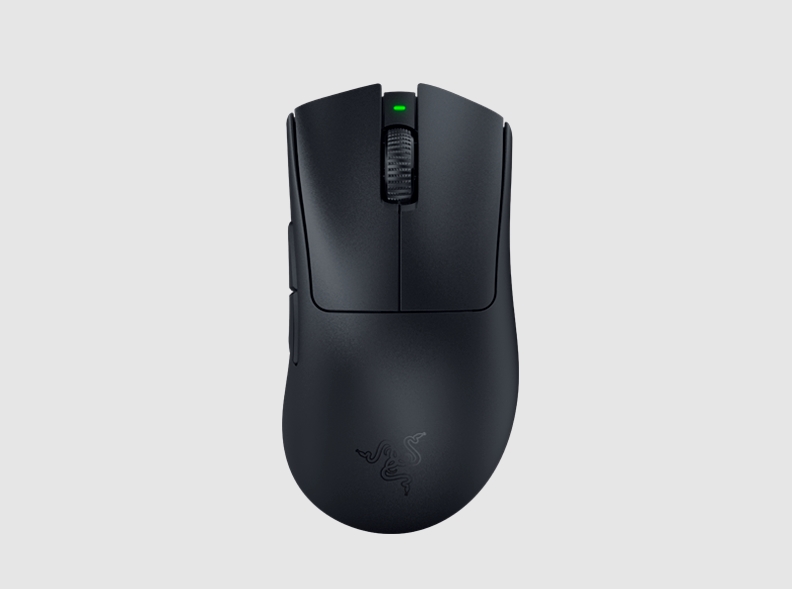
Razer Deathadder V3 Pro Black
DPI 800
Sensitivity 2.55
eDPI 2040
Zoom Sensitivity 1
Hz 1
Windows Sensitivity 6
Raw Input 1

CROSSHAIR SETTINGS

Alpha 255
Color 1
Blue 50
Green 250
Red 50
Gap -3
Size 2
Style 4
Sniper Width 1

VIEWMODEL SETTINGS

FOV 68
Offset X 2.5
Offset Z -1.5
Presetpos 3
Shift Left Amt 1.5
Shift Right Amt 0.75
Recoil 1
Righthand 1

BOB SETTINGS

Lower Amt 21
Amt Lat 0.33
Amt Vert 0.25
Cycle 0.98

CONFIG

HOW TO INSTALL CONFIG
  • 1. Drop the cfg file along the path: Steam\steamapps\common\Counter-Strike Global Offensive\csgo\cfg
  • 2. Launch CS:GO!!!
  • 3. Open the console "~" We write
  • 4. exec arT.cfg
  • 5. Done
Download

VIDEO SETTINGS

Resolution 1280x960
Aspect Ratio 4:3
Scaling Mode Stretched
Display Mode Fullscreen
Global Shadow Quality High
Model / Texture Detail Low
Texture Streaming Disabled
Effect Detail Low
Shader Detail Low
Boost Player Contrast Disabled
Multicore Rendering Enabled
Multisampling Anti-Aliasing Mode None
FXAA Anti-Aliasing Enabled
Texture Filtering Mode Bilinear
Wait for Vertical Sync Disabled
Triple-Monitor Mode Disabled
Use Uber Shaders Enabled

SKINS

★ Butterfly Knife | Doppler Phase 2 (Factory New)
★ Sport Gloves | Vice (Field-Tested)
AK-47 | Neon Rider (Field-Tested)
M4A1-S | Printstream (Minimal Wear)
USP-S | Whiteout (Field-Tested)

GEAR

ZOWIE XL2546K
ZOWIE XL2546K
Razer Deathadder V3 Pro Black
HyperX Alloy FPS RGB
HyperX Cloud Revolver
Lethal Gaming Gear Saturn
Andrei “arT” Piovezan is a Brazilian professional CS2 player and the in-game leader (IGL) of FURIA Esports. Known for his fearless aggression and fast-paced strategies, arT has built a reputation as one of the boldest and most creative minds in the game. If you’re looking for arT’s CS2 settings, crosshair, config (CFG), or gear, this page has everything you need.

arT CS2 Settings (2025)

Mouse Settings
  • DPI: 800
  • Sensitivity: 2.55
  • eDPI: 2040
  • Zoom Sensitivity: 1.0
  • Raw Input: On
  • Mouse Acceleration: Off
Crosshair Settings (art crosshair / cfg art)
  • cl_crosshair_drawoutline 0
  • cl_crosshairalpha 255
  • cl_crosshaircolor 1
  • cl_crosshairdot 0
  • cl_crosshairgap -2
  • cl_crosshairsize 3
  • cl_crosshairstyle 4
  • cl_crosshairusealpha 1
  • cl_crosshairthickness 1
  • cl_crosshair_sniper_width 1
Viewmodel Settings
  • viewmodel_fov 68
  • viewmodel_offset_x 2.5
  • viewmodel_offset_y 0
  • viewmodel_offset_z -1.5
  • viewmodel_presetpos 0
  • cl_bob_lower_amt 21
  • cl_bobamt_lat 0.33
  • cl_bobamt_vert 0.14
Video Settings
  • Resolution: 1280x960 (4:3 Stretched)
  • Aspect Ratio: 4:3
  • Refresh Rate: 240Hz
  • Digital Vibrance: 80%
These are the same settings arT uses in official matches, giving him the speed and precision needed to lead FURIA in top-tier CS2 events.