The clan system is arguably the best thing about Grow A Garden 2 so far. Teaming up with friends to share luscious harvests is beneficial, but the real draw is elsewhere. Community membership unlocks access to rare loot—from valuable eggs to unique mounts like the legendary Mega Rainbow Ice Dragon. We will tell you how to quickly join the action or assemble your own team.
By the way, before you dive into the social features, be sure to activate the latest codes for Grow a Garden 2—the extra resources will definitely help your garden.
Table of Contents
How to join a guild in Grow A Garden 2
You will not be able to automatically join a private club as a solo player—the game requires personal contact. First, find a server where the faction creator or elder is already active. These guys are the ones who manage the recruitment of new players.
The process is as follows:
-
Request an invite. The leader should go to the guild stand in the marketplace, click “View Guild,” and send you an invitation through the special “My Guild” tab.
-
Check your email. As soon as you have given the go-ahead, run to the mailbox—it is waiting right by the fence of your garden.
-
Activate. Open the email and click the accept button.
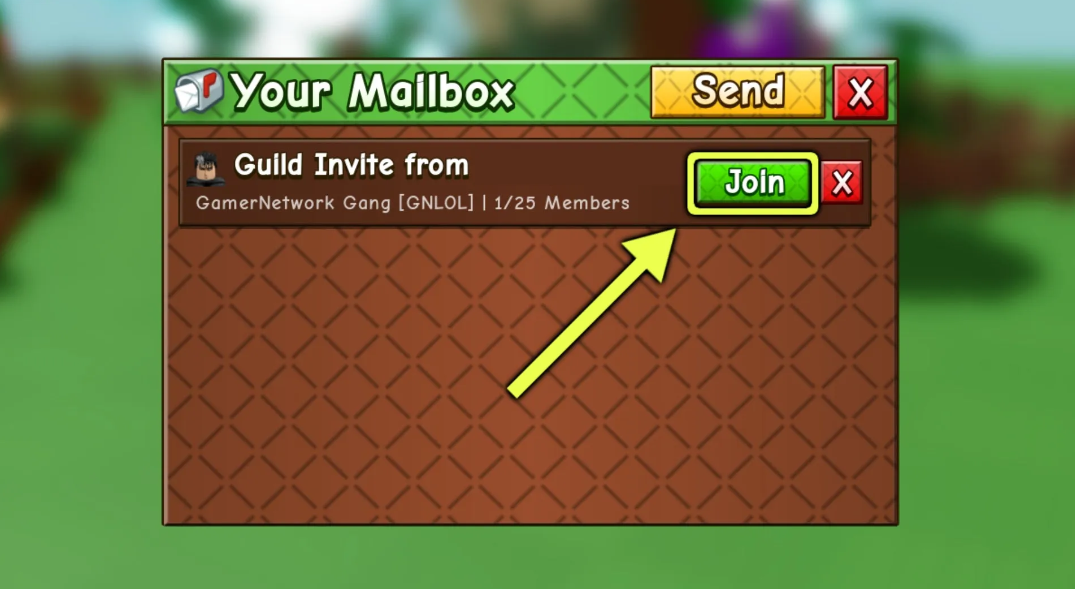
Done! Now, at the same central stand, you will have access to all the ins and outs: your clanmates’ stats, the global leaderboard, and available loot.
How do I create a guild in Grow A Garden 2
(Yes, there is a catch). The developers do not allow you to create your own alliance for free—the feature relies on donations, so get your wallet ready.
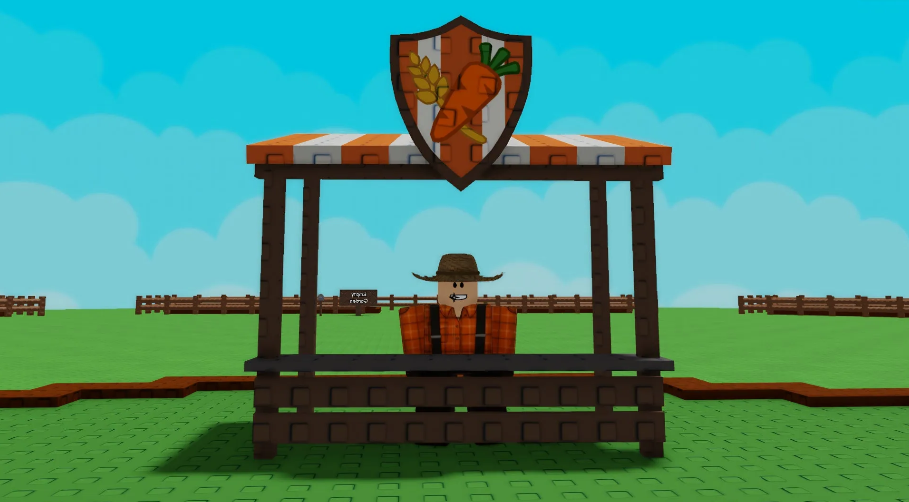
If you have 99 Robux in your balance, the process is simple. Run straight to the center of the map, where the bustling circle of merchants is. Look for the colorful guy behind the counter with the “Guild” sign and feel free to engage in a conversation.
The setup process is standard:
-
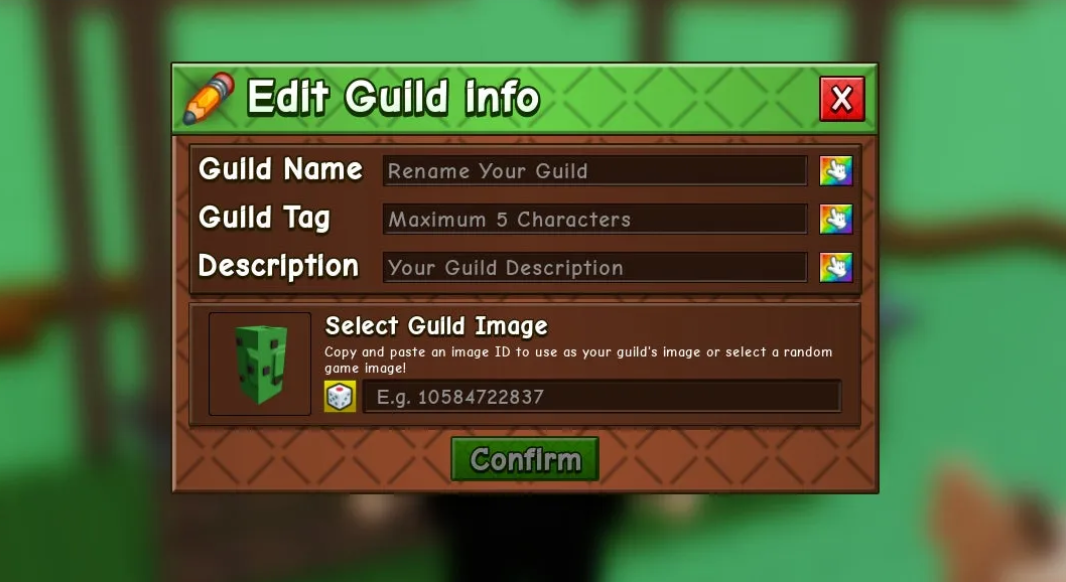
Name and Tag. Enter your name and a unique five-character tag (the system will filter out duplicates).
-
Visual. Write a few lines in the description and upload an avatar. By the way, do not worry about any mistakes—any data can be overwritten later using the “Edit” button in the “My Guild” tab.
-
Payment. Confirm the 99 Robux withdrawal and claim your leadership rights.
How do I invite a player to Grow A Garden 2
Having your own gang is cool, but you need someone to populate it. You can recruit in a couple of clicks right during a game session.
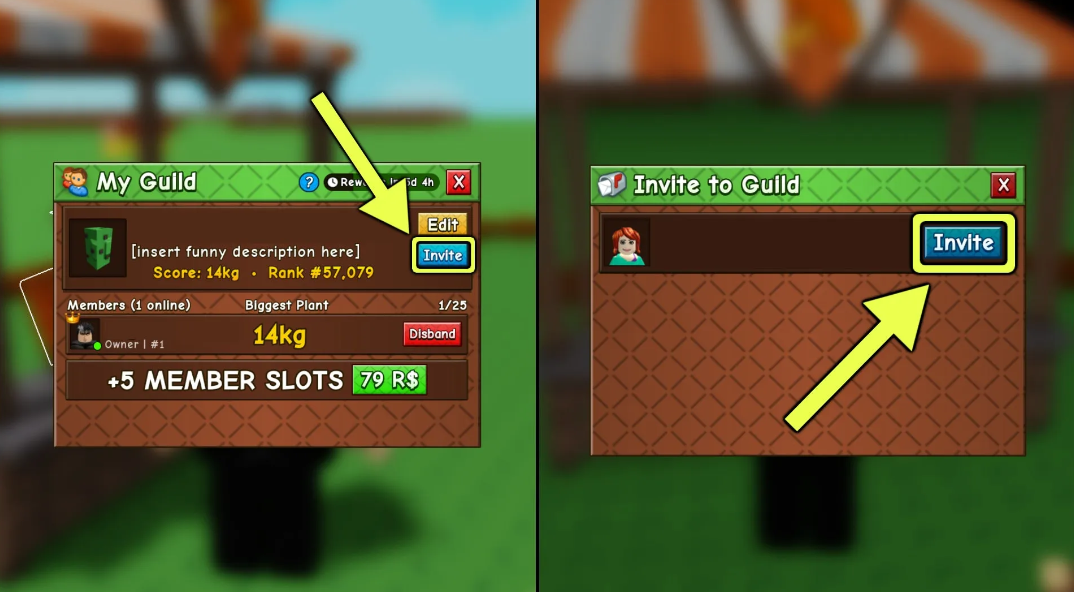
Head back to the guild vendor, open the “View Guild” menu, and look for the coveted plus sign to the right of your guild name at the very top of the tab. Clicking the button will expand the list of all gamers in the same world as you. Select the desired candidate—an invite will be sent to their inbox instantly. As soon as the newcomer clicks approve, their nickname will immediately appear in the general roster.
How do I appoint an elder in Grow A Garden 2
Managing a large community alone is unrealistic—you simply will not have the time to manage the servers. A smart solution for a faction leader is to delegate authority to trusted allies. Elders act as officers here, taking on the drudgery of recruiting new blood.
You can grant moderator rights directly in the management interface:
-
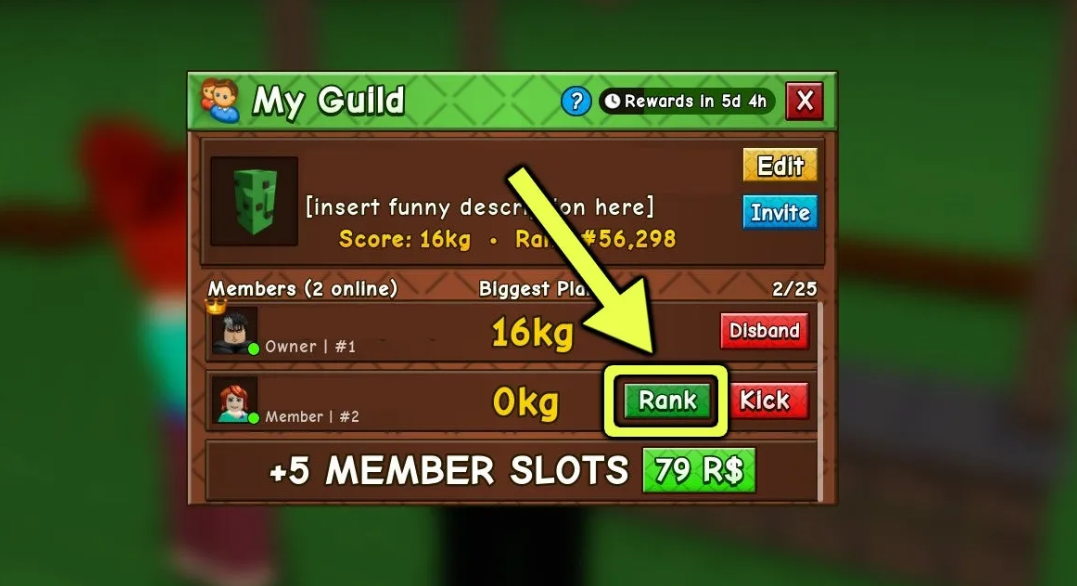
Go to the “My Guild” section.
-
Scroll through the members’ roster to the desired nickname.
-
Click on the interactive “Rank” bar, located neatly next to the gamer’s name.
One click, and you will have a fully-fledged deputy, capable of independently hunting newcomers to the team.
Guild Rewards in Grow A Garden 2
Formalizing the relationship is only the first step; after that, the brutal agro-grind begins for the common good. The essence of any alliance in Grow A Garden 2 boils down to the delivery of heavy crops. The game meticulously weighs every harvested fruit. Your personal record—the heaviest vegetable or fruit grown in the last 7 days—is counted toward your faction’s score. The weight-to-prestige conversion system works without complicated formulas. The total weight of all clanmates’ topical records is summed up, converting into experience points at the rate of one gram equals one point.
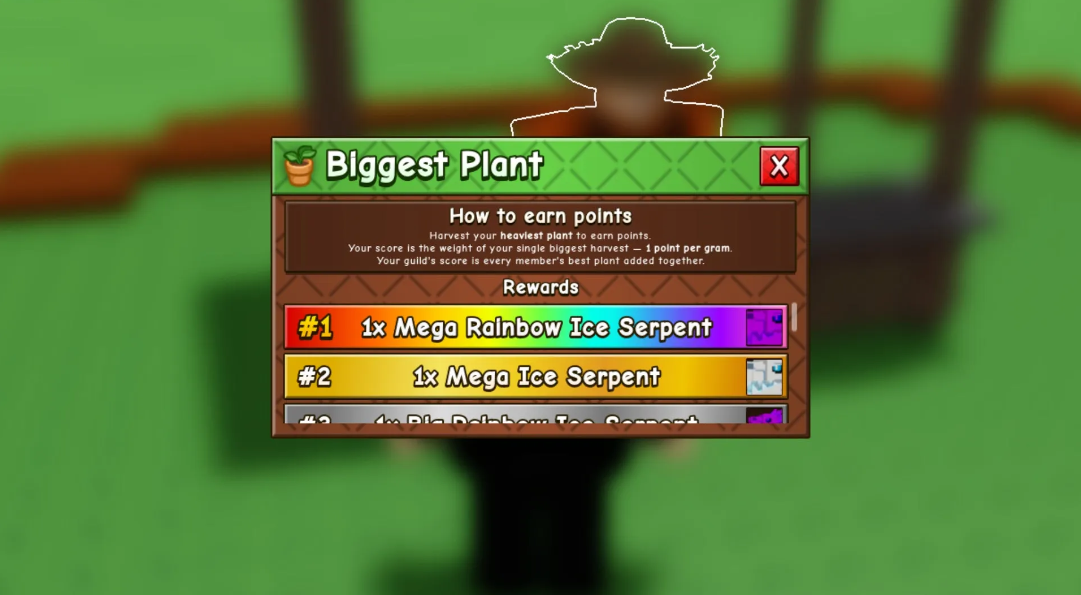
Quantitative indicators directly influence a faction’s position in the global leaderboard:
-
Ranking system. The higher the total weight, the higher the alliance’s position on the leaderboard.
-
Weekly timer. The current rank is fixed at the end of the week, determining the value of the final drop.
-
Prize assortment. You can always check the current level requirements in the “Guild Rewards” tab at the guild vendor’s display case. Premium pet hatching eggs and ready-made exclusive animal assistants are at stake.
Want to get cool dragons for the whole gang? Make your comrades save up giant coconuts and hand them in by weight. Just like the everyday life of a virtual farmer, nothing more.
That concludes the basic mechanics of social associations in Grow A Garden 2. If you need more information on specific plants to optimize your plantation, be sure to check out our detailed guide, which includes all the Grow A Garden 2 seeds, along with their timings and costs.