In S.T.A.L.K.E.R. 2: Heart of Chornobyl, console commands raise a lot of questions, as the familiar button in the game itself is disabled by default by the developers. Launching the debug console in patch 2.0, released by GSC Game World in August 2026 along with the “Cost of Hope” expansion, is possible simply by installing third-party modifications. Basic functionality like immortality, adding coupons, and free flight through walls works perfectly, but recent file changes have messed up some item IDs—old guides now spawn completely incorrectly. Here’s the latest guide on unlocking the debug console, proven codes, and troubleshooting common crashes.
Table of Contents
Launching the debug console in S.T.A.L.K.E.R. 2 (Update 2.0)
GSC Game World decided not to include a direct toggle in the settings. Code entry can only be activated through the user software. There are two working options to choose from:
-
UETools (#64 on Nexus Mods) is a comprehensive tool that opens not only the command line but also the entire Unreal Engine debugging toolkit. The panel is accessed by pressing the tilde (~) or F10.
-
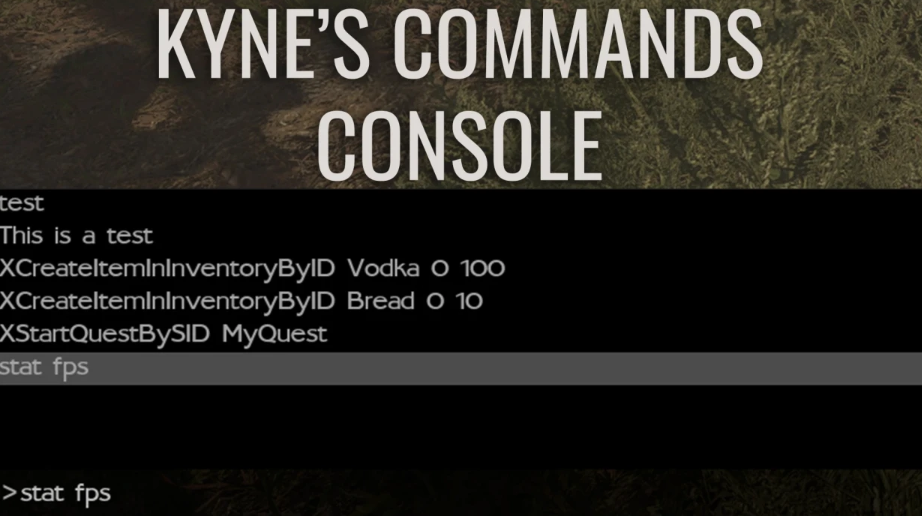
Kynes Commands Console is a more focused plugin, designed with a specific command base in mind. It is accessed strictly by pressing F10, can scroll through the input history with arrow keys, and can be closed with Esc.
The installation process is identical for either file: copy the contents of the downloaded archive directly to \STALKER 2 Heart of Chornobyl\Stalker2\Content\Paks\~mods. A custom ~mods directory may not exist initially, so create one manually.
Be sure to save before activating cheats! Accidental progress changes can interrupt script logic, and without a fresh backup, you won’t be able to roll back story flags.
Spawn Command Syntax and Argument Handling
The logic for calling items within the engine is uniform, so you only need to master the structure once. The basic template for adding items to the inventory looks like this:
XCreateItemInInventoryByID ID 0 quantity durability
-
XCreateItemInInventoryByID is the system spawn operator.
-
ID is the unique technical name of the item (check it carefully to avoid losing the item you need).
-
0 is technical zero (it doesn’t change).
-
quantity is the number of units to be spawned.
-
durability is a value from 1 to 100. It doesn’t affect consumables, but it is a critical parameter for weapons and armor.
For example, the line XCreateItemInInventoryByID Bread 0 20 1 will instantly add 20 loaves of bread to the backpack. If you want to drop an item directly on the ground next to the character’s engine, enter XSpawnItemNearPlayerBySID ID.
The state switches are set to true (on) and false (off).
Example: XSetGodMode true activates immortality, while XSetNoClipGSC true 3000 starts flight through textures at a speed of 3000.
Basic list of console commands for version 2.0
We’ve compiled the main cheats that are guaranteed to work in the current build.
System and mode cheats
| Command | Action |
|---|---|
| XSetGodMode true / false | Full vulnerability/immortality |
| XAddMoneyToPlayer 100000 | Add coupons (number of your choice) |
| XSetNoClipGSC true 3000 | Fly through walls at a set speed |
| XSetNoClipGSC false | Disable free flight |
| UETools_Ghost | Flight without taking into account physical collisions |
| UETools_Fly | Flight with collisions preserved |
| UETools_Walk | Return to standard walking |
Weather and Time in the Zone
The weather can be changed instantly with the XForceWeather [type] command. Available presets: Clearly, Cloudy, Fogy, Stormy, LightRainy, Rainy, Thundery, CalmBeforeEmission, and Emission.
A smooth transition between states is initiated with XSwitchToWeather Clearly. The time of day can be set with the XSetWeatherTime 12 0 0 line (hours, minutes, seconds). The XStartEmission and XStopEmission commands start and stop the anomalous burst.
To take screenshots, disable the interface with the XHideAllWidget command (to turn it back on, use XShowAllWidget).
Item ID Database (Patch 2.0 and Cost of Hope DLC)
A fresh piece of evidence of inconsistencies with old manuals is the changed tags in the Unreal Engine databases.
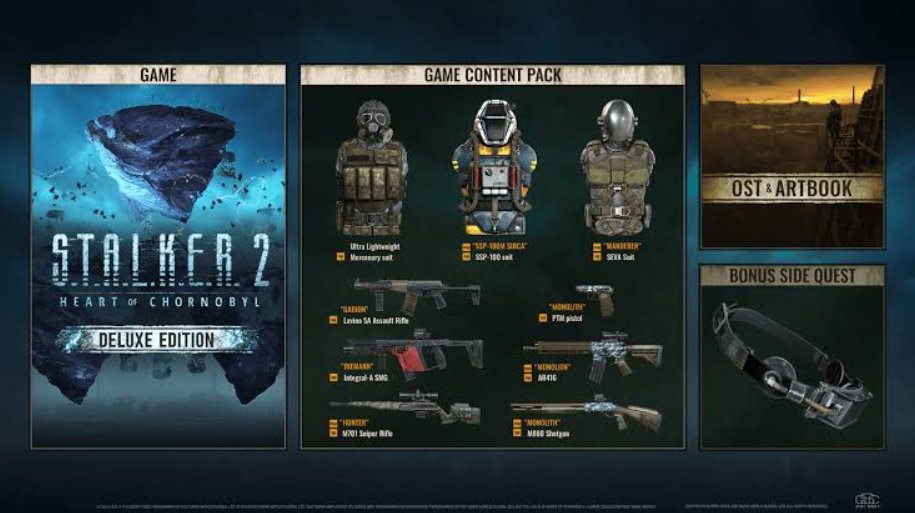
Weapons (XCreateItemInInventoryByID [ID] 0 1 1)
-
GunGauss_SP — Gauss Gun
-
GunRpg7_GL — RPG-7
-
GunAK74_ST — AK-74
-
GunM16_ST — M16
-
Gun_Silence_SMG — «Silence»
-
GunRhino_HG — Rhino Revolver
-
GunPM_HG — PM
-
GunAPB_HG — APB
-
GunViper_PP — Viper-5
-
GunIntegral_PP — Integral
-
GunZubr_PP — Bison
-
GunObrez_SG — Sawed-off
-
Gun_ProjectY_HG — Labyrinth IV
-
Gun_Deadeye_HG — False Blindness
-
GunM10_HG — M10 Gordon
-
GunBucket_PP — Bouquet S-2
-
Gun_Combatant_AR — Fighter
-
Gun_Novator_AR — Novator
-
Gun_Margach_SG — Margach
-
GunSVU_SP — SVU
-
GunSPSA_SG — SPSA
Armor and equipment
-
SEVA_Neutral_Armor — SEVA
-
Exoskeleton_Neutral_Armor — Exoskeleton
-
HeavyExoskeleton_Varta_Armor — Heavy exoskeleton “Varta”
-
SEVA_Monolith_Armor — SEVA Monolith
-
Newbee_Neutral_Armor — Newbie jumpsuit
-
Jemmy_Neutral_Armor — Jumpsuit “Jemmy”
-
HeavyAnomaly_SIRCA_Armor — SSP-100M NIICHAZ
-
UltraLight_Mercenaries_Armor — Lightweight mercenary jumpsuit
-
Zorya_Tourist_Armor — Tourist jumpsuit
-
Battle_Dolg_End_Armor — Jumpsuit X7
-
SEVA_Spark_Armor — SEVA “Spark”
Artifacts
EArtifactFlash EArtifactSoul GArtifactNightStar GArtifactGoldFish EArtifactBattery FArtifactCrystal EArtifactMoonlight GArtifactCompass AArtifactWeirdBolt AArtifactWeirdBall EArtifactSnowflake EArtifactDummy CArtifactCrystalThorn FArtifactMomsBeads EArtifactJellyFish FArtifactFireBall GArtifactSpring CArtifactKolobok GArtifactWrenched GArtifactBloodStone Blood of Stone CArtifactBubble CArtifactSlug AArtifactWeirdFlower AArtifactWeirdKettle
Medicines, Food, Detectors, and Ammo
For consumables, use the command XCreateItemInInventoryByID [ID] 0 [quantity] 1:
-
Provisions and medicine: Bread, CannedFood, Sausage, Water, Milk, Medkit, ArmyMedkit, ScientificMedkit, Antirad, Bandage, PSYBlocker, Hercules.
-
Detectors: Echo, Bear, Veles, Gilka.
-
Grenades: GrenadeRGD5 (RGD-5), GrenadeF1 (F-1).
-
Cartridges: A918D (9×18 PST), A918A (9×18 RG028), A919D (9×19 FMJ), A919A (9×19 +P), A045D (.45 ACP FMJ), A045A (.45 ACP AP), A545D (5.45×39 PS), A545A (5.45×39 PP), A545E (5.45×39 BP), A762D (7.62×39), A762A (7.62×39 BP), A762NATOD (.308), A762NATOA (.308 AP), A762NATOS (.308 Match), A012D (12/70 shot), A012A (12/70 buckshot), A012S (12/70 bullet), AVOG (VOG-25).
Coordinates for instant movement
Teleportation is performed by the line XTeleportTo X Y Z. It is better to move the character to an open area.
-
Zalesye: 404030.00 546800.00 650.00
-
Dump: 421200.00 411620.00 2150.00
-
Wild Island: 488370.00 517500.00 380.00
-
Cement Plant: 492050.00 372900.00 2200.00
-
Newbie Village: 447000.00 653350.00 -2700.00
-
Ikar: 608150.00 599650.00 3180.00
-
Shevchenko: 644090.00 646230.00 700.00
-
Sultansk: 662880.00 619000.00 580.00
-
Rostock: 317400.00 415600.00 350.00
-
Chemical plant: 307090.00 515580.00 750.00
-
Malachite: 107550.00 473500.00 700.00
-
Yanov: 214900.00 270650.00 950.00
-
DK “Energetik”: 231200.00 159350.00 1150.00
-
Laboratory Boats: 498030.00 527800.00 850.00
-
Poppy field: 334030.00 517800.00 350.00
-
Cooling towers: 542200.00 334520.00 650.00
Troubleshooting: Console Unresponsive or Game Crashes
If the game refuses to respond to input, follow this checklist:
-
Check the directory location. Plugins are read strictly from
\Stalker2\Content\Paks\~mods. -
Change the hotkey. If F10 is silent, try ~ (tilde).
-
Update the modification. After the August 2026 patch, old mod libraries became invalid—you need software released after update 2.0.
If the command crashed the A-Life simulation or blocked story missions, reload your save. If you don’t have a backup, try entering XALifeDisable and then XALifeEnable in sequence—this will restart the world simulation and may restore stuck NPCs. XKillThemAll will instantly eliminate the surrounding threat, and XAddAllNotes will open the diary. The UETools_PromoScreenshot 3 command allows you to take a high-quality shot.